
OPERATING MANUAL
1. DESCRIPTION
NOUS E15 ZigBee Smart Gateway (2.4/5 GHz) – is a dual-band, multi-mode wireless gateway that supports 2.4/5 GHz Wi-Fi, Zigbee, SigMesh, Beacon Mesh, and communication with long-range BLE devices. By connecting to the gateway, you establish a connection to the cloud and the app, and can control up to 128 smart devices per gateway that use the Zigbee/Bluetooth protocol.
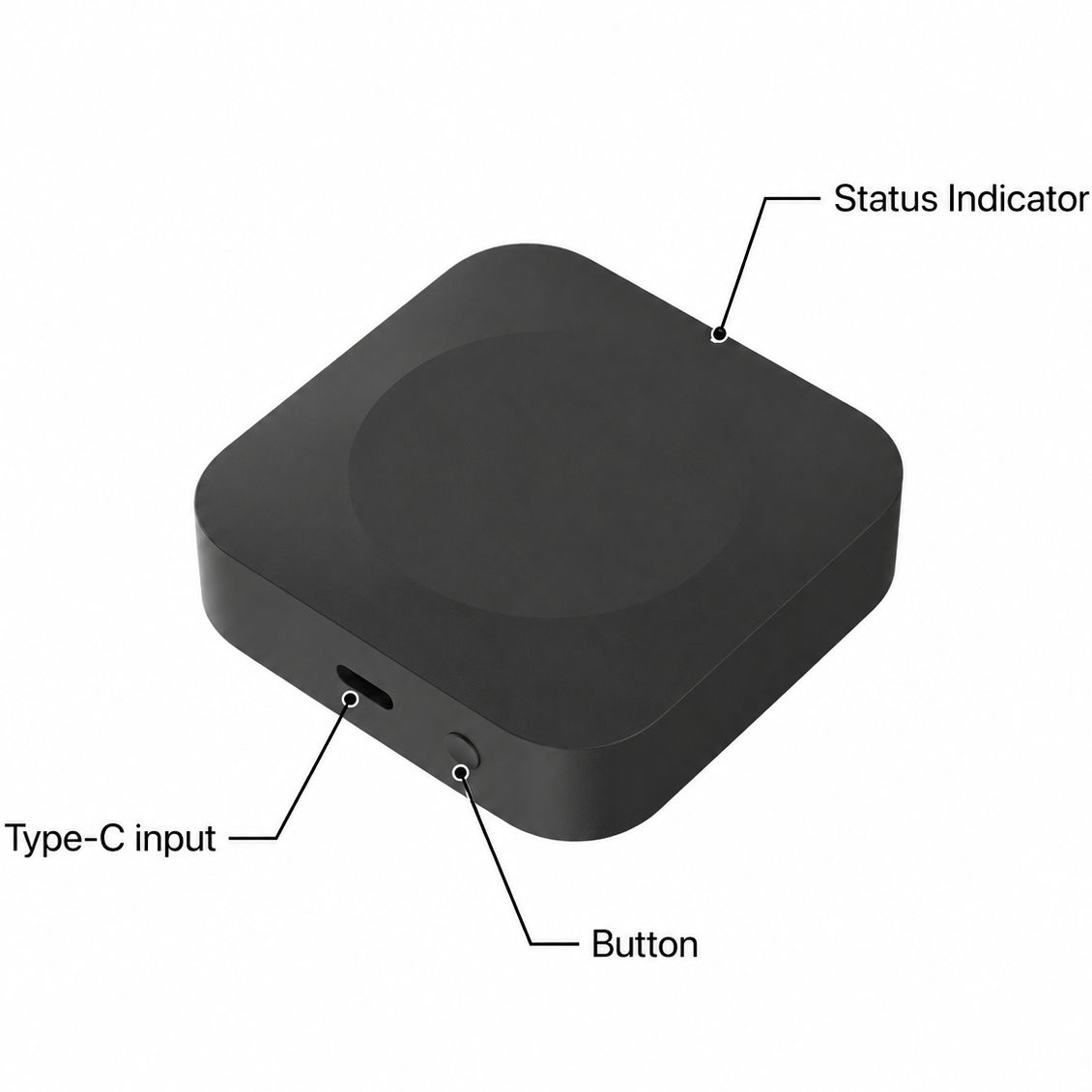 |
| Status Indicator | Pulsing Orange – Wi-Fi in pairing mode (ready to configure) Pulsing Blue – adding sub-devices Red – disconnected to the Internet Blue – working mode |
| Button | Hold for 5s – reset |
| Type-C input | Power connection port |
Features:
1. Dual-band gateway – 2.4/5 GHz Wi-Fi
2. Maximum connectivity: supports up to 128 Zigbee devices (32 low-power Zigbee devices), or 128 SigMesh devices, or 64 Beacon Mesh devices, or real-time control of 4 long-range devices with a single signal source/BLE.
3. Automatic pairing: When adding new SigMesh/Beacon Mesh devices via a mobile phone’s Bluetooth, they automatically connect to the gateway and enable remote control functionality.
4. One-button pairing: A short press of the button on the gateway puts the device into extended pairing mode (the indicator will flash), which lasts 1 hour. During this time, if additional devices are in pairing mode, they will be added automatically. Simultaneous addition of multiple devices is supported. Pressing the button again turns off one-touch pairing mode.
5. Remote control: Users can control devices via the gateway using the app or voice commands (Alexa, Google Home, etc.).
6. Cloud-based scenarios/automation: Using the scenario and automation settings in the app, the gateway’s connected devices can interact with other smart devices (e.g., Wi-Fi smart plugs).
7. Local scenarios/automation: The gateway prioritizes local scenarios/automation over cloud-based ones, reducing cloud latency. Local scenarios/automation respond quickly even when disconnected from the external network.
8. Long/short connections: The gateway supports long-range connections between individual devices and on-demand connections with slave devices to meet power consumption requirements in various application scenarios.
9. OTA: Not only does it support over-the-air (OTA) firmware updates for the gateway, but it also supports firmware updates for Zigbee slave devices, SigMesh, Single Point/BLE Long Range, and Beacon Mesh devices via the gateway.
10. Signal Level Detection: The gateway can detect the Wi-Fi signal level between the router and the gateway, as well as the Zigbee/Bluetooth signal level between slave devices and the gateway. This helps the end user quickly diagnose connection issues.
11. BLE Long Range: Thanks to the Coded PHY mode in the Bluetooth 5.0 protocol, it provides a transmission range of over 300 meters, making it suitable for low-power, long-range communication applications.
Package contents: Gateway, Type-C USB cable (0.5 m), manual.
2. TECHNICAL CHARACTERISTICS
|
Protocol |
Frequency |
Max. Transmit Power |
Working Range (outdoors) |
|
2.4 GHz Wi-Fi |
2400 - 2483.5 MHz |
18 dBm |
200m |
|
5 GHz Wi-Fi |
5150 - 5875 MHz |
18 dBm |
200m |
|
Zigbee |
2400 - 2483 MHz |
20 dBm |
170m |
|
Bluetooth 5.0 |
2402 - 2480 MHz |
10 dBm |
100 (300)m |
Network Protocol (Wi-Fi): IEEE 802.11 a/b/g/n
Network Protocol (ZigBee 3.0): IEEE 802.15.4
Power Input: 5V DC, 1A
Working Temperature: 0°C~45°C
Working Humidity: 10-90%RH
Dimension: 66*66*20,4mm
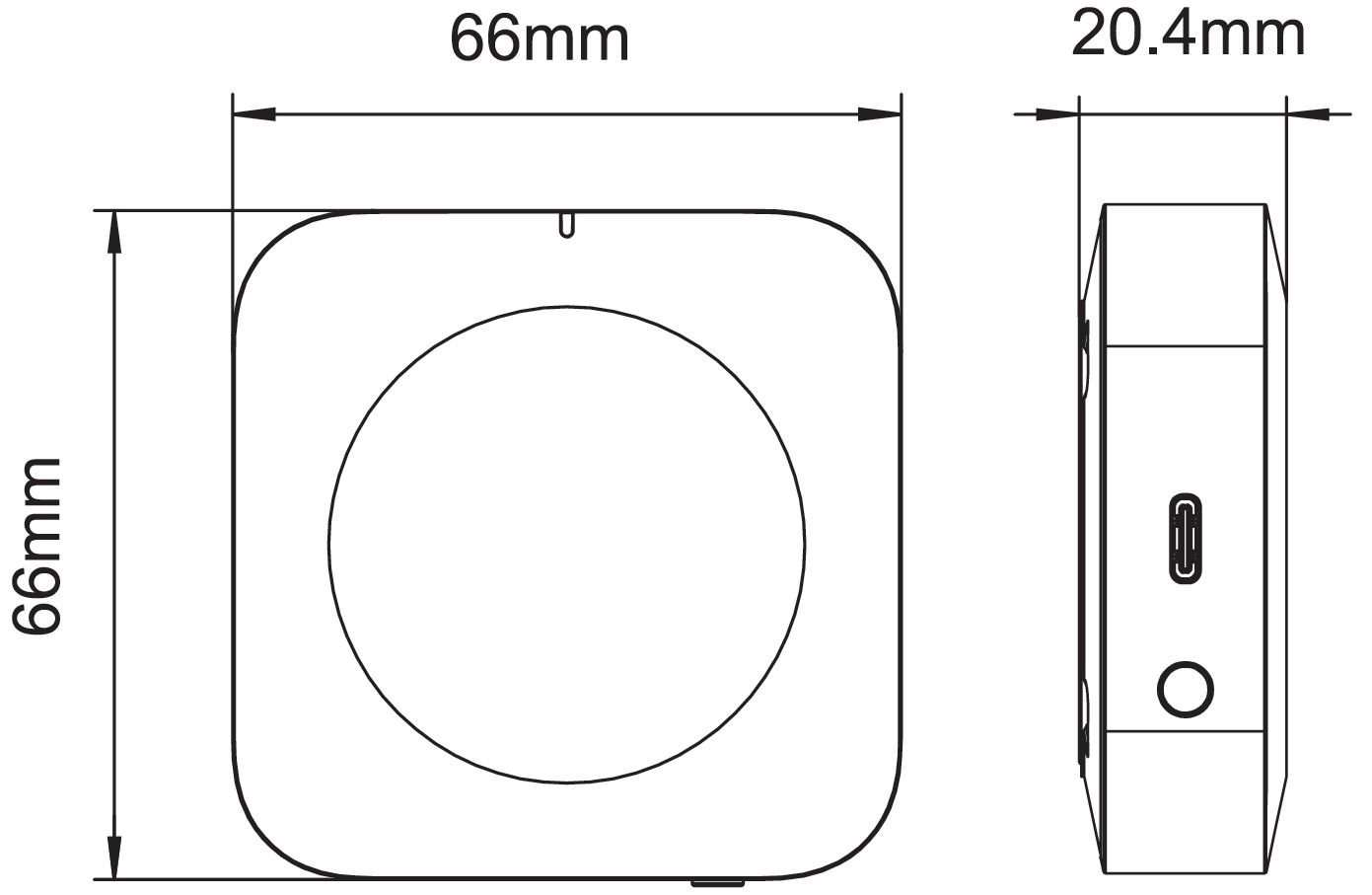 |
3. SAFETY AND PRECAUTIONARY MEASURES
- Please read this manual carefully.
- Use the product within the temperature and humidity limits specified in the technical data sheet.
- Do not install the product near heat sources such as radiators, etc.
- Do not allow the device to fall or be subject to mechanical stress.
- Do not use chemically active or abrasive detergents to clean the product. Use a damp flannel cloth instead.
- Do not exceed the specified power rating. This may result in a short circuit and electric shock.
- Do not disassemble the product yourself - diagnostics and repairs of the device should only be carried out at a certified service center.
4. CONNECTION
To connect the Nous device, you need a smartphone based on the Android or iOS mobile operating system with the Nous Smart Home application installed. This mobile application is free and available for download from Play Market and App Store. The QR code for the application is given below:
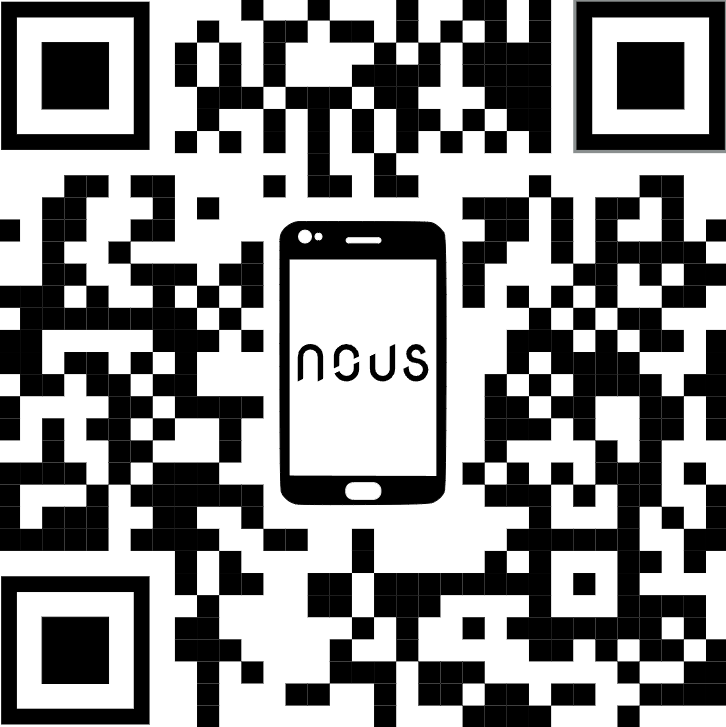 |
Scan the QR code or download it from direct link
Quick Installation Guide:
1. Scan QR code or search NOUS Smart Home in APP Store or Google Play to install APP(new user must register account first).
2. Connect mobile phone to your 2.4/5GHz Wi-Fi router (with internet) and plug in the Smart Gateway to outlet.
3. Run NOUS Smart Home APP, Click"+" at the top right corner (select Gateway and Others-> Wireless Gateway(zigbee)
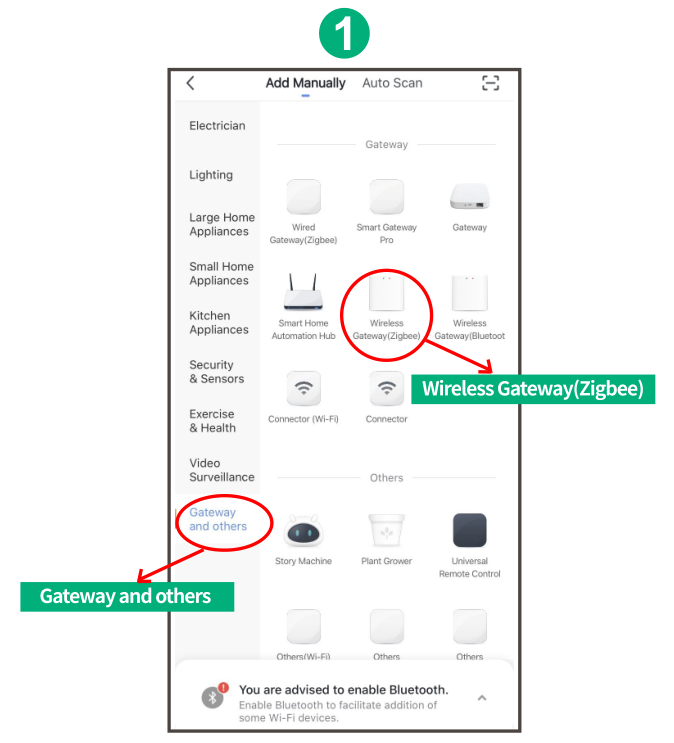 |
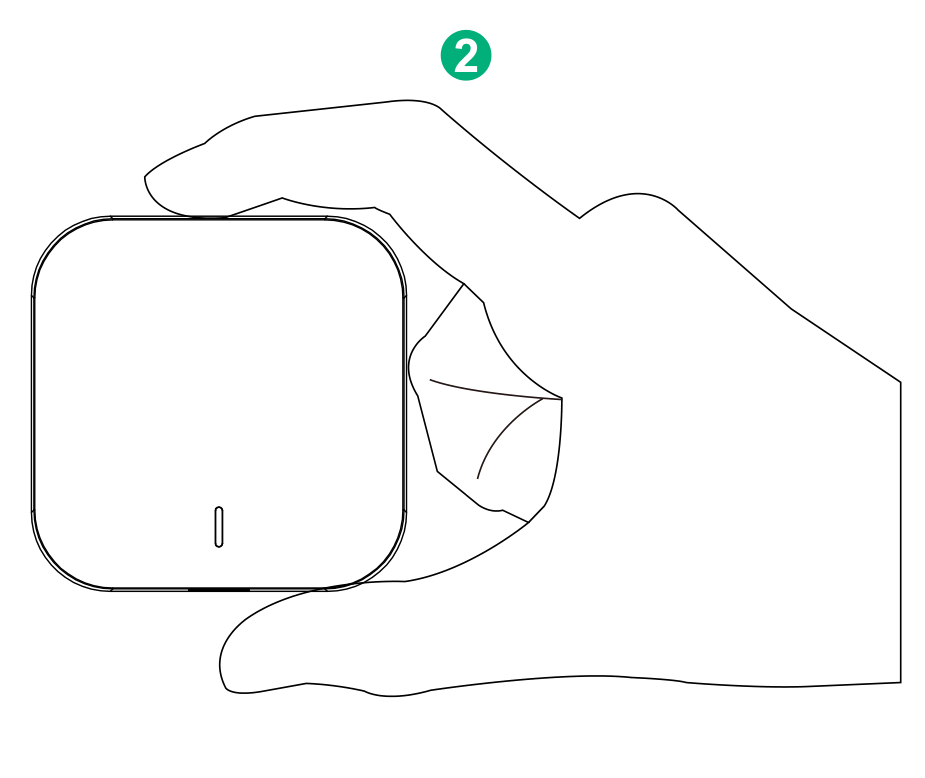
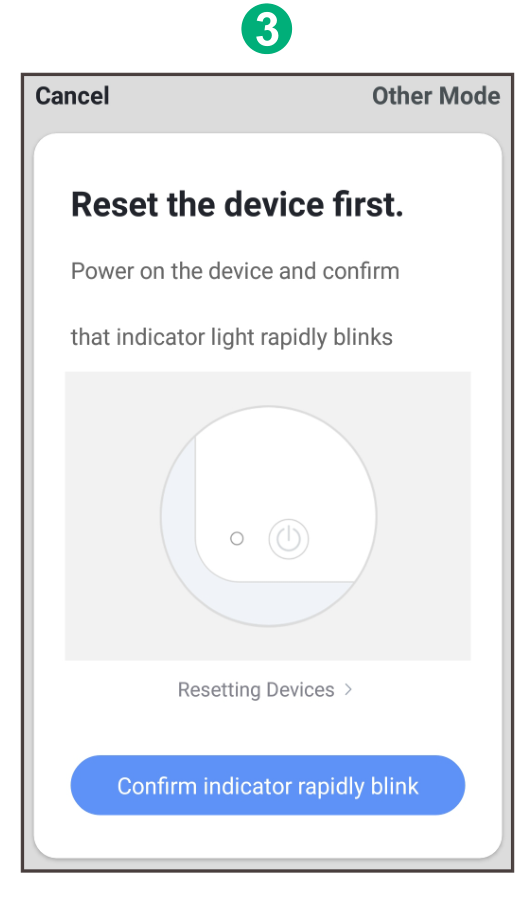
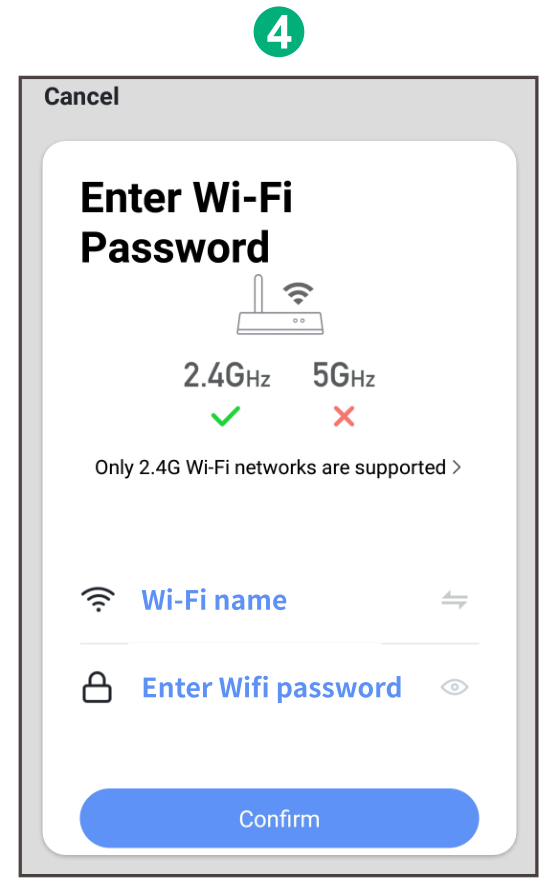
4. Pressing the button for 5 seconds until the red LED blinks, then follow the in-app instructions to connect the smart gateway to your network.
|
|
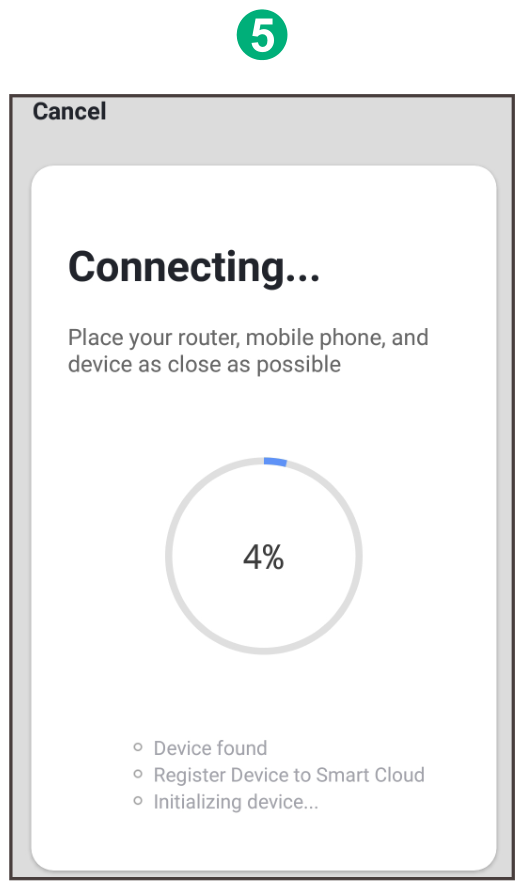
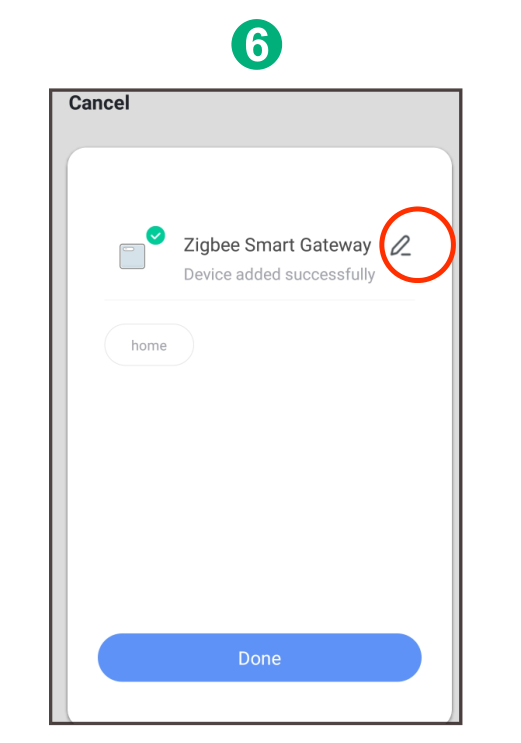
5. Waiting for a few seconds ,you can see the gateway is shown and you may rename it. Press "Done" to finish the installation of gateway
 |