
OPERATING MANUAL
1. DESCRIPTION
- Direct Wi-Fi: connects directly to 2.4 GHz Wi-Fi networks without requiring any additional hubs or gateways.
- Triple Alert System: triggers a loud 85 dB audible siren, a flashing light, and instant push notifications to your smartphone.
- Remote Monitoring: full control and status checks via the Nous Smart apps.
- Long Battery Life: powered by a CR123A battery with an operational lifespan of up to 5 years.
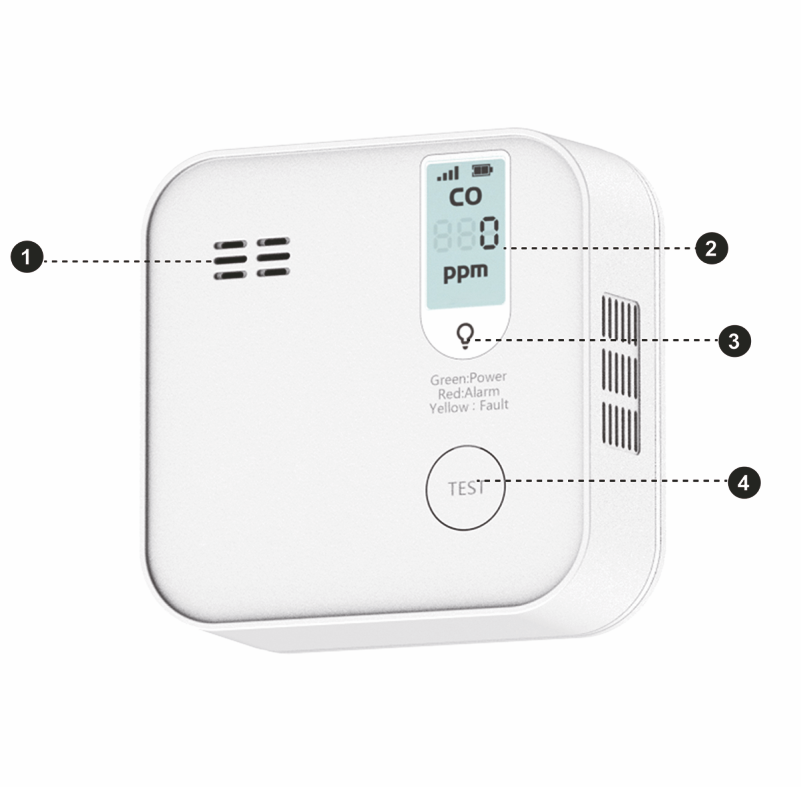 |
| № | Name | Description |
| 1 | Piezoelectric emitter | - |
| 2 | LCD display | - |
| 3 | Indicator | Shows the current status of the device |
| 4 | Button | A long press of the button (5-7s) resets the device settings and network connection parameters. |
2. TECHNICAL CHARACTERISTICS
WiFi Frequency: 2.4 GHz (2.412-2.472GHz)
Network Protocol: IEEE802.11 b/g/n
Max.Transmit Power: 11b-16dBm, 11g-15dBm, 11n-14dBm
Alarm Sound Level: ≥85dB (at 3m)
Alarm Modes: Sound, Light, APP Notification
Standby Current: <20uA
Battery: CR123A 3V (included)
Battery life: 5 years (typical value)
Product Life: 10 years
Temperature Range: -10℃~+40℃
Humidity Range: < 95%RH
Installation Mode: fasten by screw or 3M glue
Dimensions: 86.5*86.5*30.5mm
EN 50291-1:2018+AC:2021
3. SAFETY AND PRECAUTIONARY MEASURES
- Please read this manual carefully.
- Use the product within the temperature and humidity limits specified in the technical data sheet.
- Do not install the product near heat sources such as radiators, etc.
- Do not allow the device to fall or be subject to mechanical stress.
- Do not use chemically active or abrasive detergents to clean the product. Use a damp flannel cloth instead.
- Do not exceed the specified power rating. This may result in a short circuit and electric shock.
- Do not disassemble the product yourself - diagnostics and repairs of the device should only be carried out at a certified service center.
4. CONNECTION
To connect the Nous device, you need a smartphone based on the Android or iOS mobile operating system with the Nous Smart Home application installed. This mobile application is free and available for download from Play Market and App Store. The QR code for the application is given below:
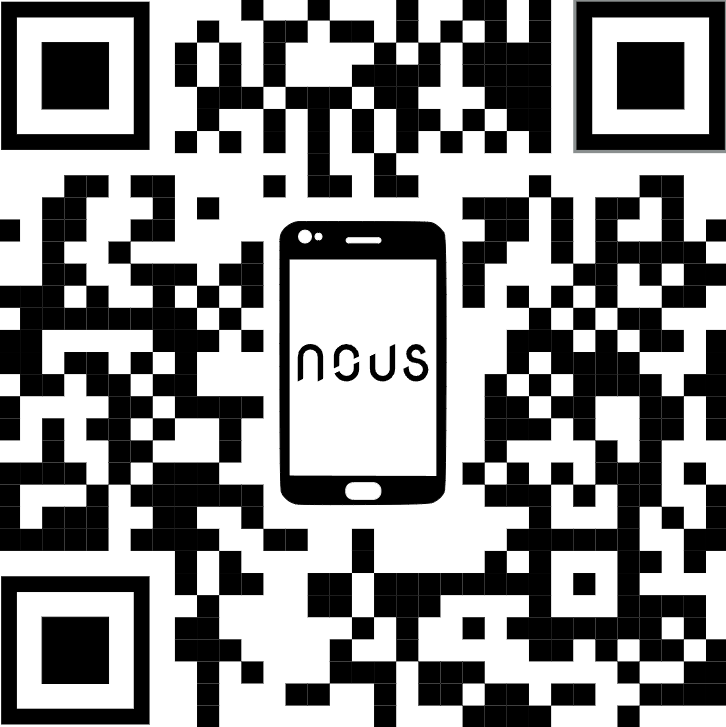 |
Scan the QR code
Importantly: Make sure that the Wi-Fi network is stable and has a sufficient level in the chosen installation location.
5. INSTALLATION
Installation procedure using a mounting plate
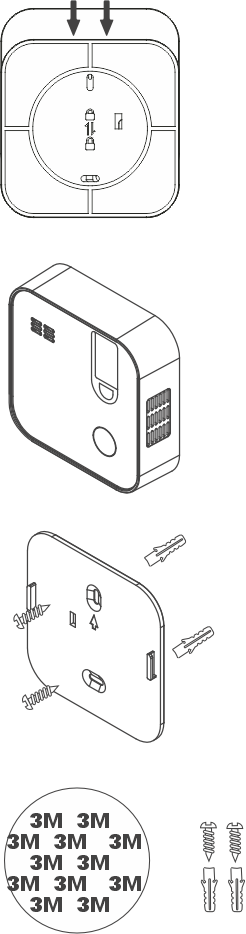 |
1. Slide the mounting plate down. Then remove the clear plastic film from the battery and insert the batteries, observing the correct polarity. |
| 2. Drill two 4mm diameter holes in the wall, 46mm apart. Then insert two plastic anchors into the holes. Align the hole for the hanging plate in the package with the hole for the plastic anchor. Finally, secure it with screws until the screw heads are flush with the siding. |
|
|
3. Press the self-test button to verify that the device can operate with the sound and light signal. |
|
|
4. Align the holes on the back of the device with the mounting plate and install it. |
Battery replacement
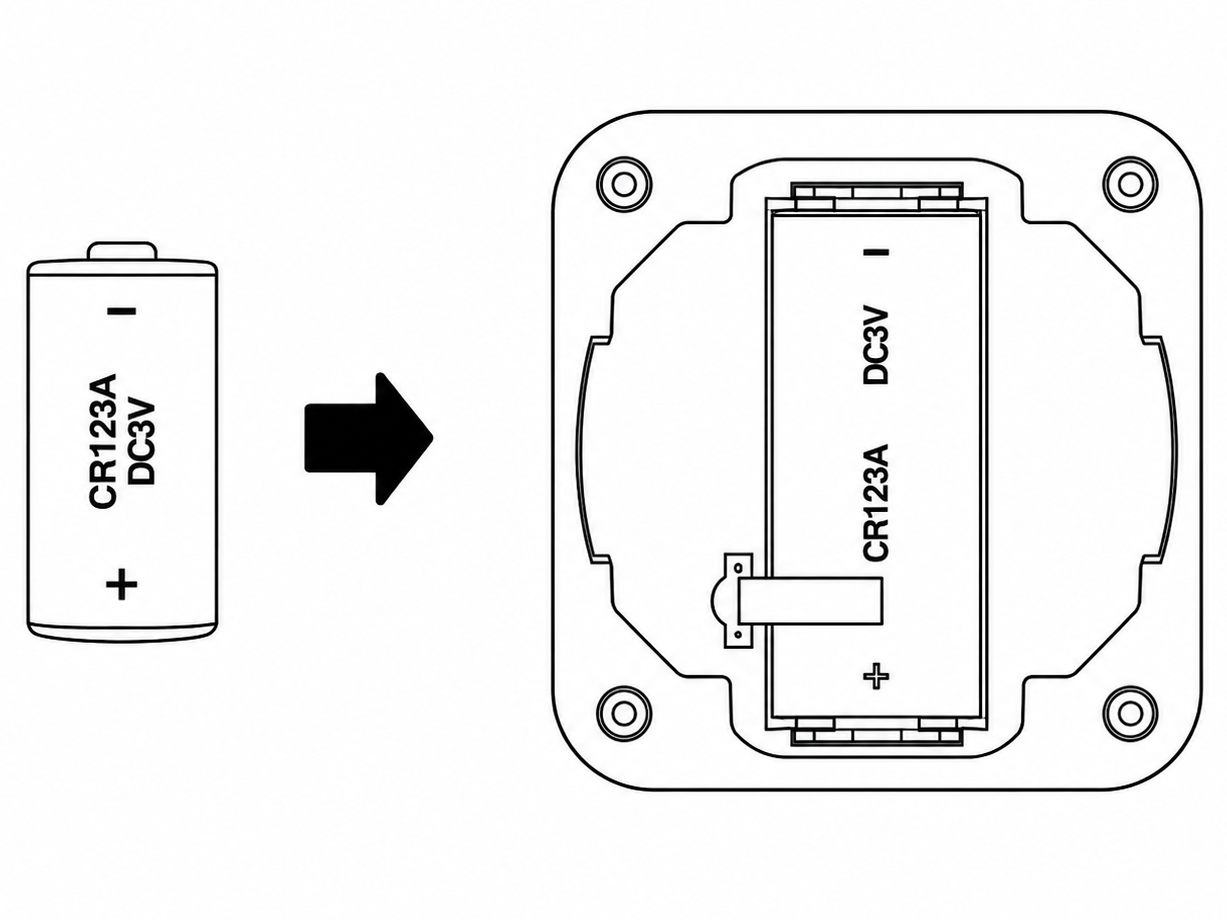 |
1.To replace the battery, disconnect the Detector (Sensor) from the mounting bracket by turning it counterclockwise. |
| 2. Remove the battery and then install a new one, observing the correct polarity. | |
|
3. Install the Detector (Sensor) on the mounting bracket by turning it clockwise to lock it in place.
|