
NÁVOD NA POUŽITIE
1. POPIS
Inteligentná brána NOUS E15 ZigBee (2,4/5 GHz) – je dvojpásmová, viacrežimová bezdrôtová brána, ktorá podporuje Wi-Fi 2,4/5 GHz, Zigbee, SigMesh, Beacon Mesh a komunikáciu so zariadeniami BLE s dlhým dosahom. Pripojením k bráne vytvoríte spojenie s cloudom a aplikáciou a môžete ovládať až 128 inteligentných zariadení na jednu bránu, ktoré používajú protokol Zigbee/Bluetooth.
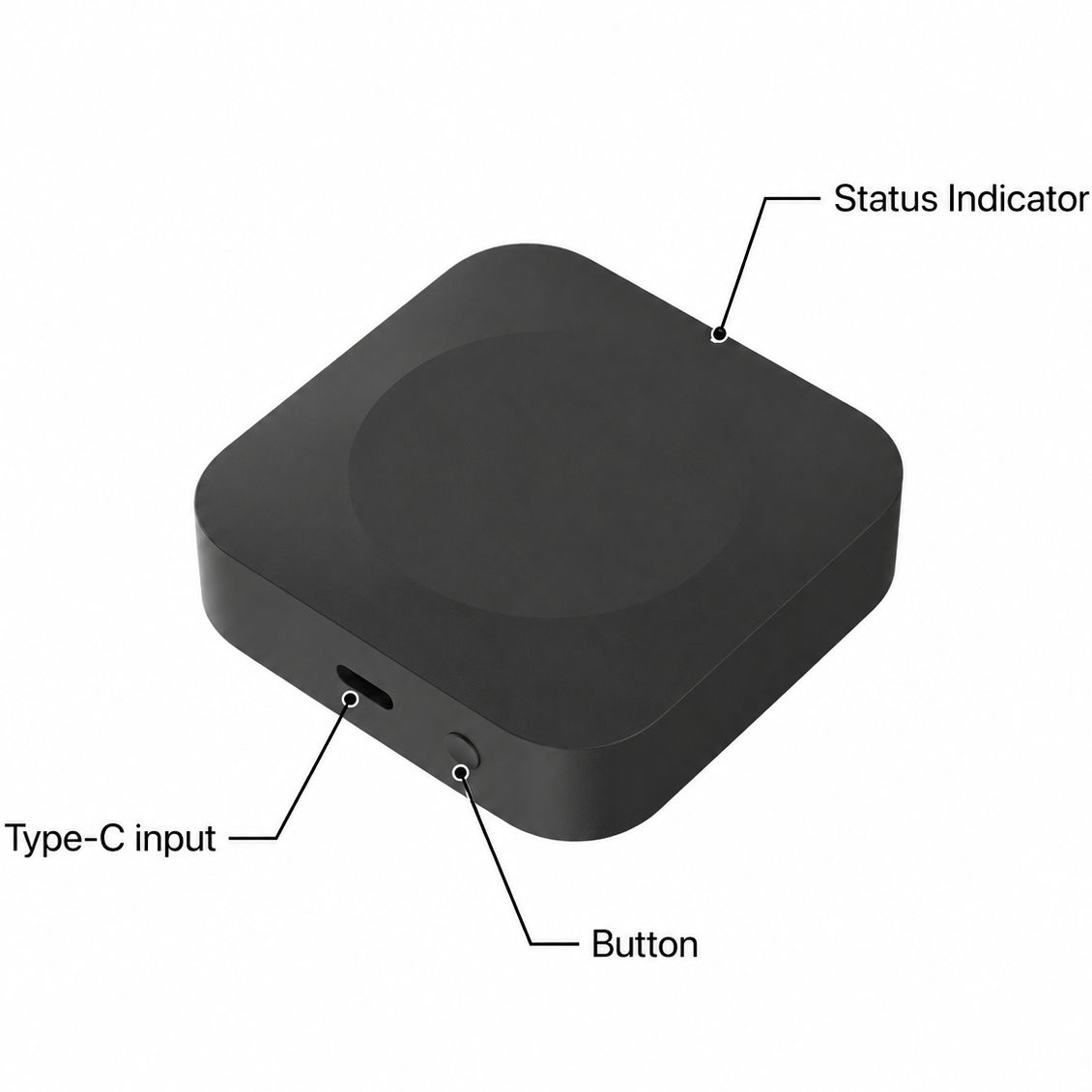 |
| Indikátor stavu | Bliká oranžová – Wi-Fi v režime párovania (pripravené na konfiguráciu) Bliká modrá – pridávanie podriadených zariadení Červená – odpojené od internetu Modrá – prevádzkový režim |
| Tlačidlo | Podržte 5 sekúnd – reset |
| Vstup typu C | Port na pripojenie napájania |
Vlastnosti:
1. Dvojpásmová brána – Wi-Fi 2,4/5 GHz
2. Maximálna konektivita: podporuje až 128 zariadení Zigbee (32 zariadení Zigbee s nízkou spotrebou energie), alebo 128 zariadení SigMesh, alebo 64 zariadení Beacon Mesh, alebo ovládanie 4 zariadení s dlhým dosahom v reálnom čase s jedným zdrojom signálu/BLE.
3. Automatické párovanie: Pri pridávaní nových zariadení SigMesh/Beacon Mesh cez Bluetooth mobilného telefónu sa tieto zariadenia automaticky pripoja k bráne a umožnia funkciu diaľkového ovládania.
4. One-button pairing: A short press of the button on the gateway puts the device into extended pairing mode (the indicator will flash), which lasts 1 hour. During this time, if additional devices are in pairing mode, they will be added automatically. Simultaneous addition of multiple devices is supported. Pressing the button again turns off one-touch pairing mode.
5. Remote control: Users can control devices via the gateway using the app or voice commands (Alexa, Google Home, etc.).
6. Cloud-based scenarios/automation: Using the scenario and automation settings in the app, the gateway’s connected devices can interact with other smart devices (e.g., Wi-Fi smart plugs).
7. Local scenarios/automation: The gateway prioritizes local scenarios/automation over cloud-based ones, reducing cloud latency. Local scenarios/automation respond quickly even when disconnected from the external network.
8. Long/short connections: The gateway supports long-range connections between individual devices and on-demand connections with slave devices to meet power consumption requirements in various application scenarios.
9. OTA: Not only does it support over-the-air (OTA) firmware updates for the gateway, but it also supports firmware updates for Zigbee slave devices, SigMesh, Single Point/BLE Long Range, and Beacon Mesh devices via the gateway.
10. Signal Level Detection: The gateway can detect the Wi-Fi signal level between the router and the gateway, as well as the Zigbee/Bluetooth signal level between slave devices and the gateway. This helps the end user quickly diagnose connection issues.
11. BLE Long Range: Thanks to the Coded PHY mode in the Bluetooth 5.0 protocol, it provides a transmission range of over 300 meters, making it suitable for low-power, long-range communication applications.
Package contents: Gateway, Type-C USB cable (0.5 m), manual.
2. TECHNICAL CHARACTERISTICS
|
Protocol |
Frequency |
Max. Transmit Power |
Working Range (outdoors) |
|
2.4 GHz Wi-Fi |
2400 - 2483.5 MHz |
18 dBm |
200m |
|
5 GHz Wi-Fi |
5150 - 5875 MHz |
18 dBm |
200m |
|
Zigbee |
2400 - 2483 MHz |
20 dBm |
170m |
|
Bluetooth 5.0 |
2402 - 2480 MHz |
10 dBm |
100 (300)m |
Network Protocol (Wi-Fi): IEEE 802.11 a/b/g/n
Network Protocol (ZigBee 3.0): IEEE 802.15.4
Power Input: 5V DC, 1A
Working Temperature: 0°C~45°C
Working Humidity: 10-90%RH
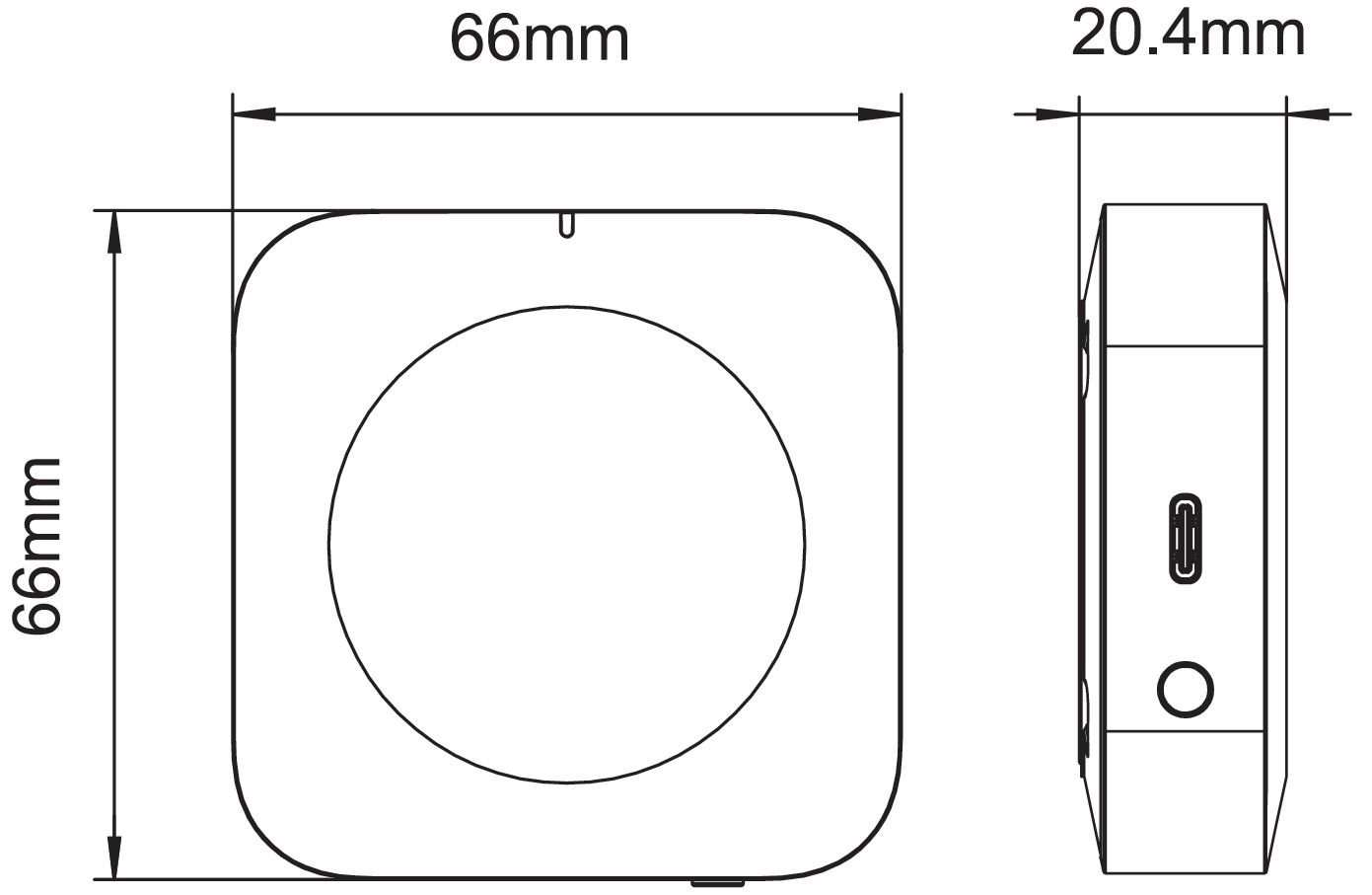
Dimension: 66*66*20,4mm
 |
3. SAFETY AND PRECAUTIONARY MEASURES
- Please read this manual carefully.
- Use the product within the temperature and humidity limits specified in the technical data sheet.
- Do not install the product near heat sources such as radiators, etc.
- Do not allow the device to fall or be subject to mechanical stress.
- Do not use chemically active or abrasive detergents to clean the product. Use a damp flannel cloth instead.
- Do not exceed the specified power rating. This may result in a short circuit and electric shock.
- Do not disassemble the product yourself - diagnostics and repairs of the device should only be carried out at a certified service center.
4. CONNECTION
Na pripojenie zariadenia Nous potrebujete smartfón s mobilným operačným systémom Android alebo iOS s nainštalovanou aplikáciou Nous Smart Home. Táto mobilná aplikácia je bezplatná a dostupná na stiahnutie z Play Marketu a App Store. QR kód aplikácie je uvedený nižšie:
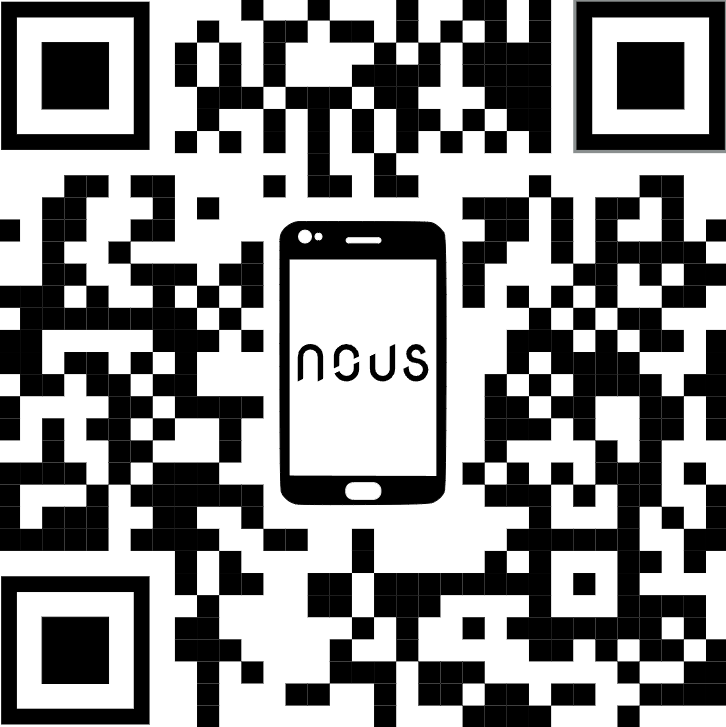 |
Naskenujte QR kód alebo si ho stiahnite z priameho odkazu
Stručný návod na inštaláciu:
1. Naskenujte QR kód alebo vyhľadajte NOUS Smart Home v obchode APP Store alebo Google Play a nainštalujte si aplikáciu (nový používateľ sa musí najprv zaregistrovať).
2. Pripojte mobilný telefón k 2,4/5 GHz Wi-Fi routeru (s internetom) a zapojte inteligentnú bránu do zásuvky.
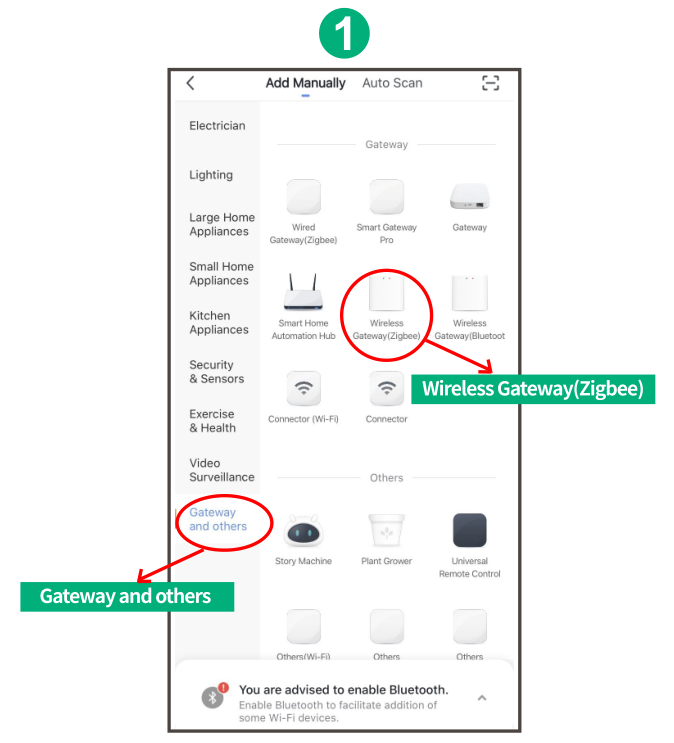
3. Spustite aplikáciu NOUS Smart Home, kliknite na „+“ v pravom hornom rohu (vyberte Brána a ďalšie -> Bezdrôtová brána (zigbee)
 |
4. Stlačte tlačidlo na 5 sekúnd, kým nezačne blikať červená LED dióda, potom postupujte podľa pokynov v aplikácii a pripojte inteligentnú bránu k sieti.
|
|
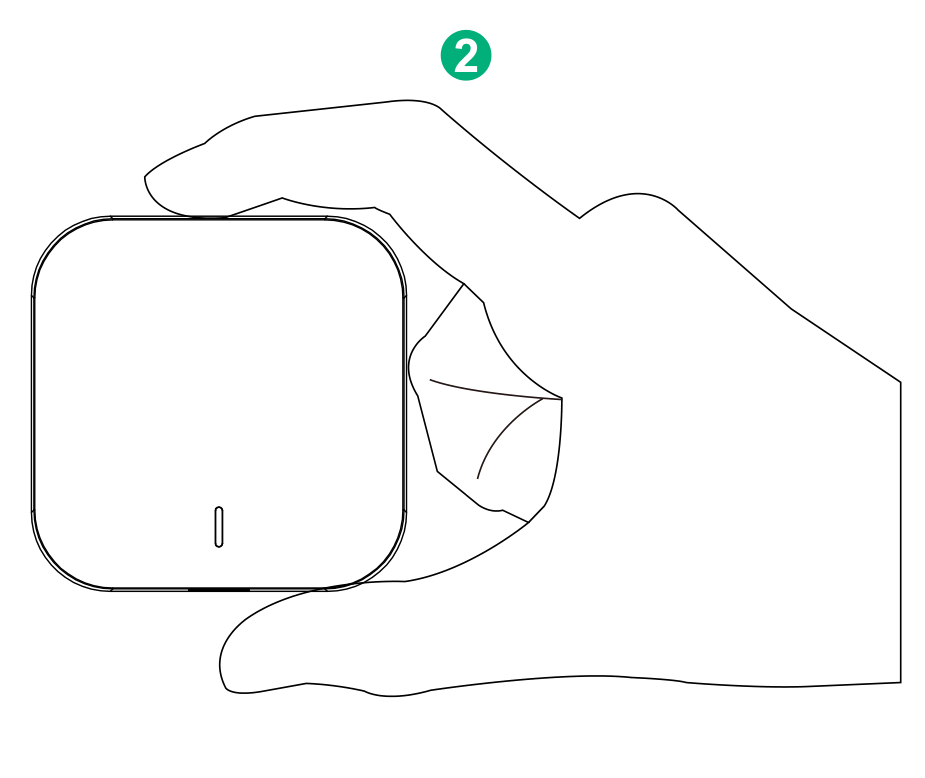
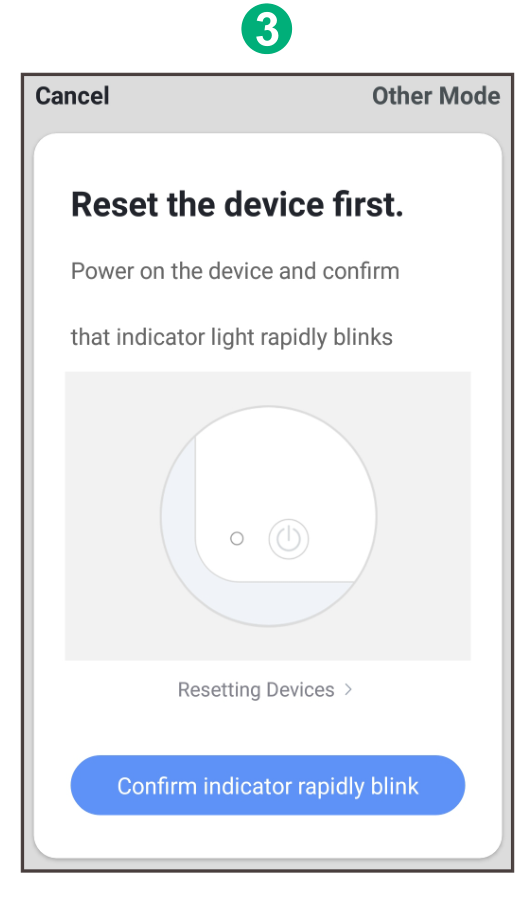
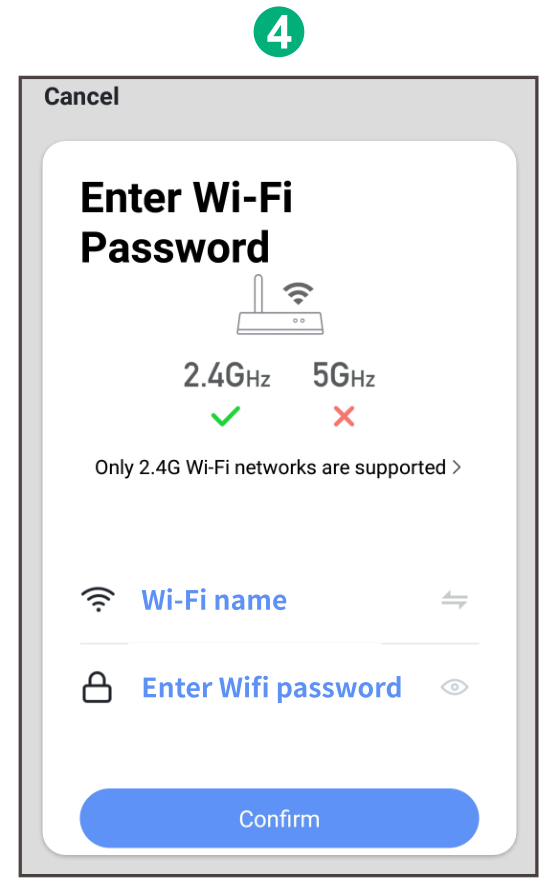
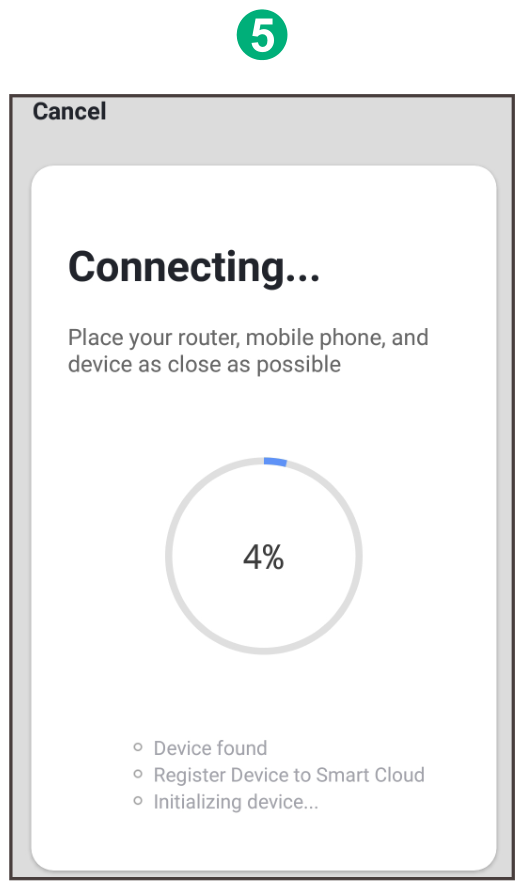
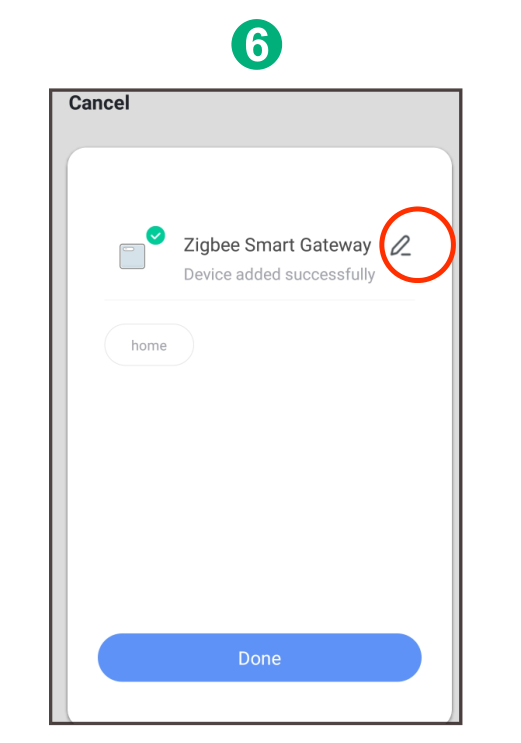
5. Počkajte niekoľko sekúnd, kým sa zobrazí brána a môžete ju premenovať. Stlačením tlačidla „Hotovo“ dokončíte inštaláciu brány.
 |