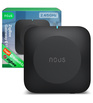

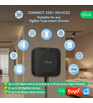


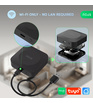
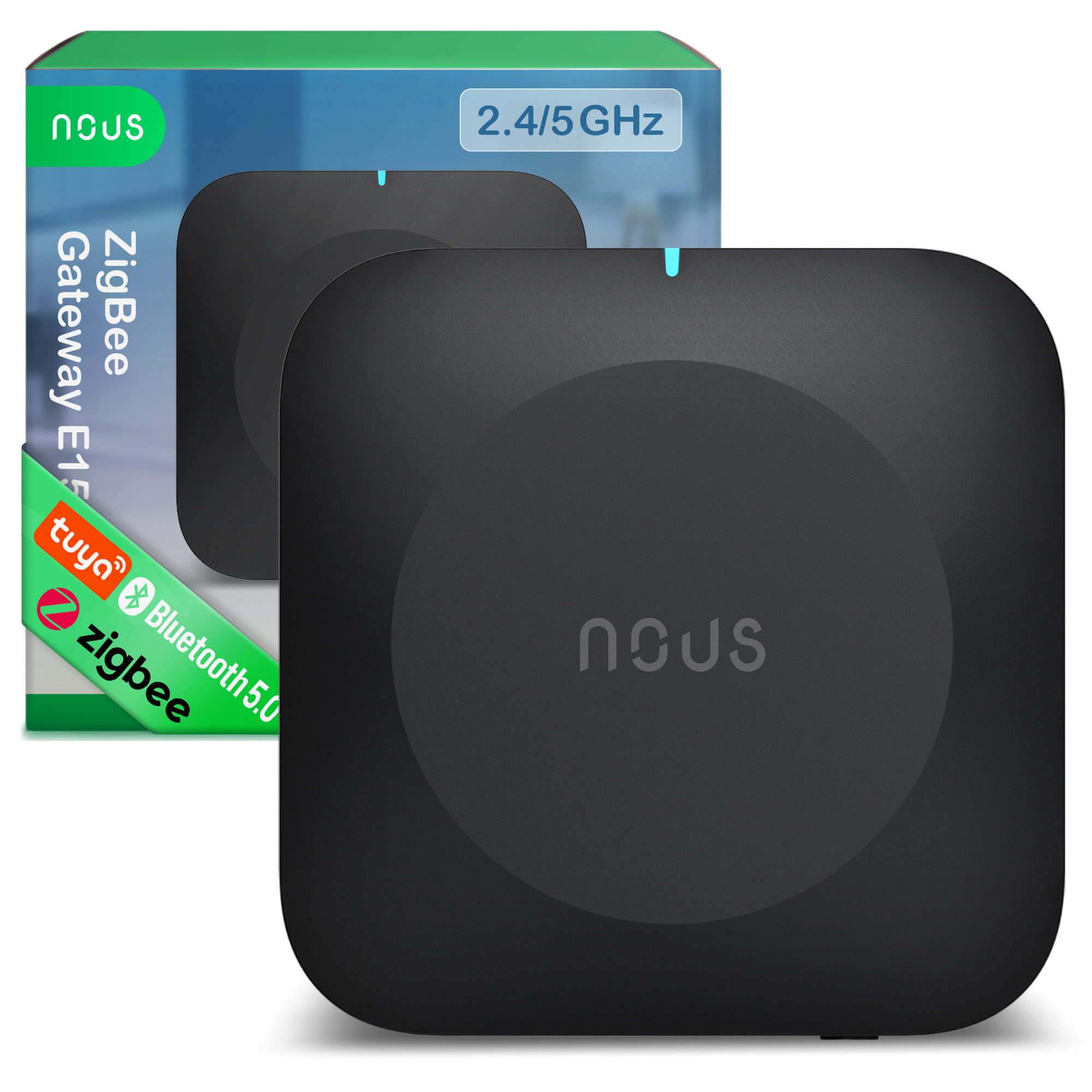



NOUS E15 ZigBee Smart Gateway (2.4/5 GHz)
| Main settings | |
|---|---|
| Brand | NOUS |
| Certificate | CE, RoHS |
| Network | |
| Communication standard | IEEE 802.15.4 |
| Protocol | Zigbee 3.0 |
| System requirements | Android 4.0 or higher, IOS 8.0 or higher |
| Control from a smartphone | App: Nous Smart Home |
| Compatibility with voice assistants | Alexa, Google Assistant |
| Frequency range: | Wi-Fi Frequency (2.4 GHz): 2.400 - 2.483 GHz, Wi-Fi Frequency (5 GHz): 5.150 - 5.875 GHz |
| Max.Transmit Power | Wi-Fi: 18 dBm, ZigBee: 20 dBm |
| Specifications | |
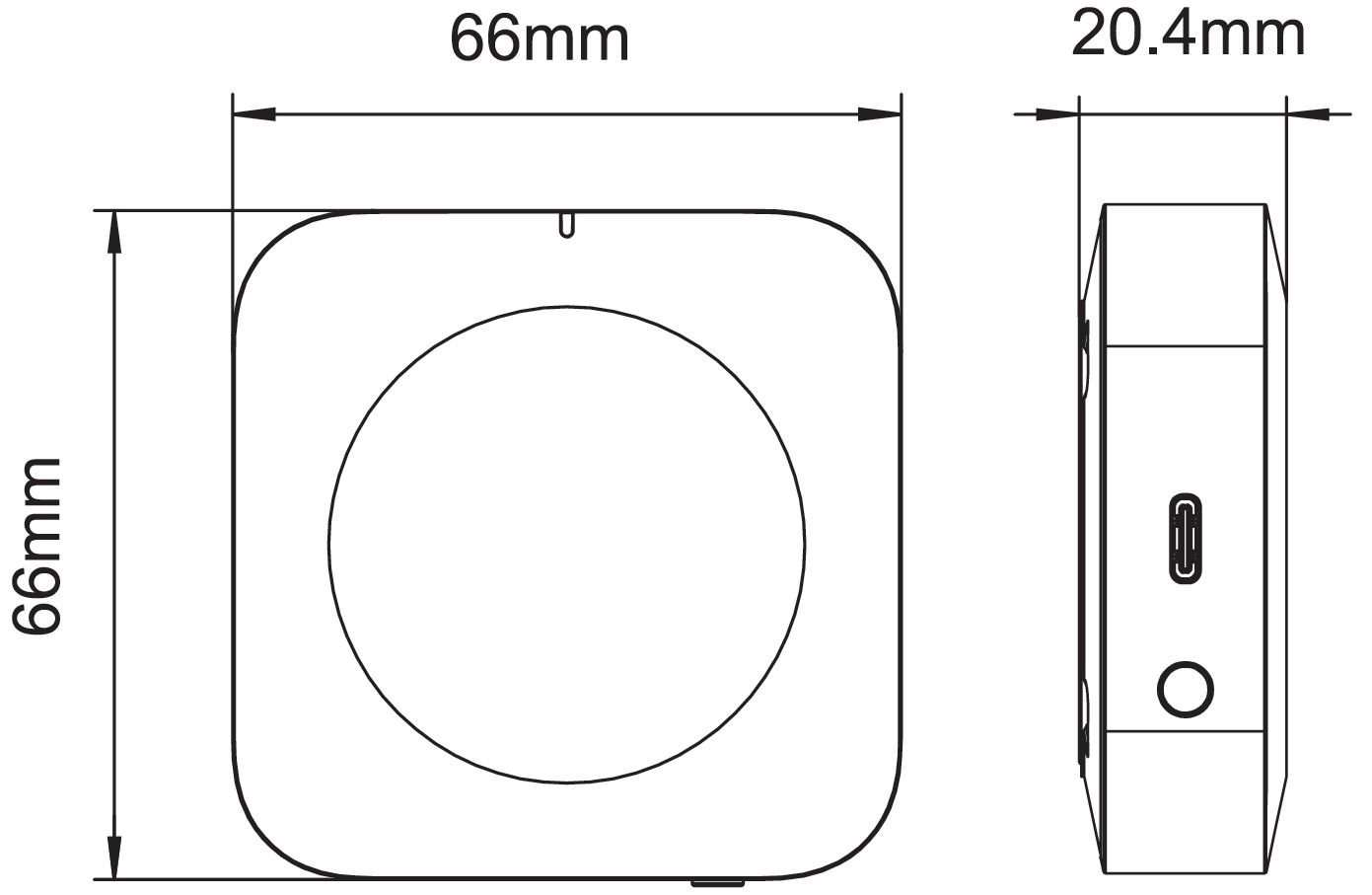
| Device dimensions | 66*66*20,4mm |
| Operation range | Wi-Fi: 200m open area, ZigBee: 170m open area |
| Working humidity | 10-90%RH |
| Operating temperature | 0°C~45°C |
| Voltage | 5V DC, 1A |
OPERATING MANUAL
1. DESCRIPTION
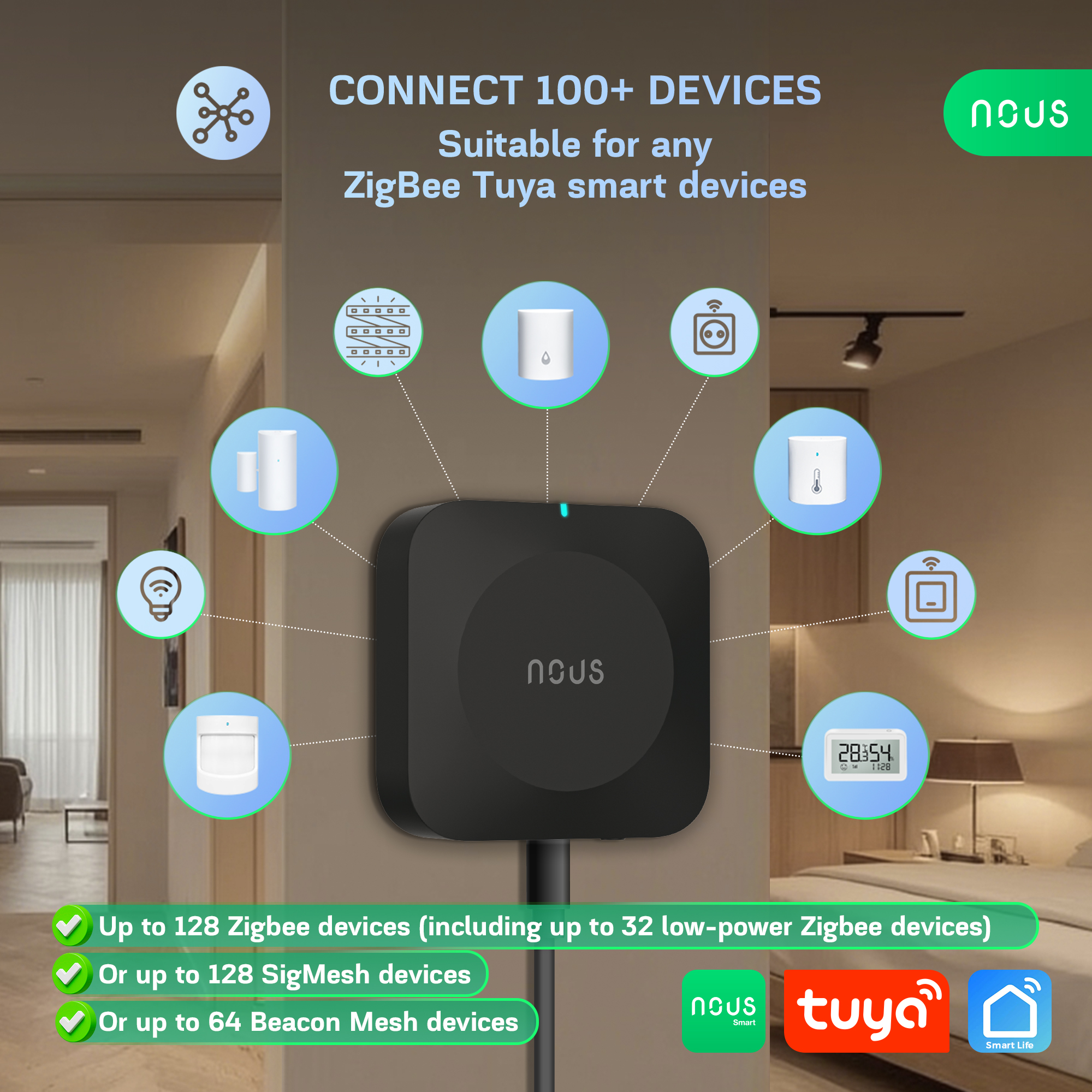
NOUS E15 ZigBee Smart Gateway (2.4/5 GHz) – is a dual-band, multi-mode wireless gateway that supports 2.4/5 GHz Wi-Fi, Zigbee, SigMesh, Beacon Mesh, and communication with long-range BLE devices. By connecting to the gateway, you establish a connection to the cloud and the app, and can control up to 128 smart devices per gateway that use the Zigbee/Bluetooth protocol.
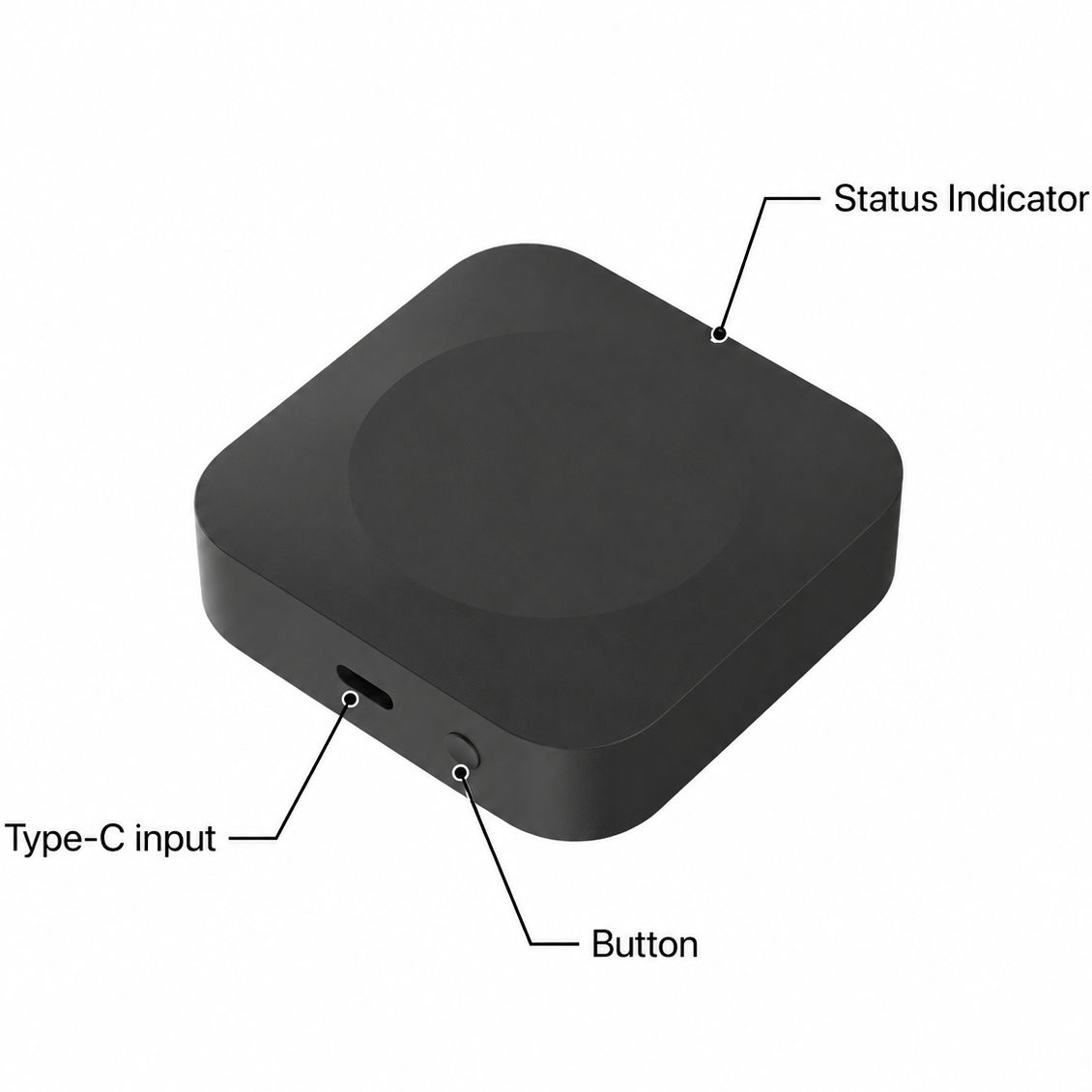 |
| Status Indicator | Pulsing Orange – Wi-Fi in pairing mode (ready to configure) Pulsing Blue – adding sub-devices Red – disconnected to the Internet Blue – working mode |
| Button | Hold for 5s – reset |
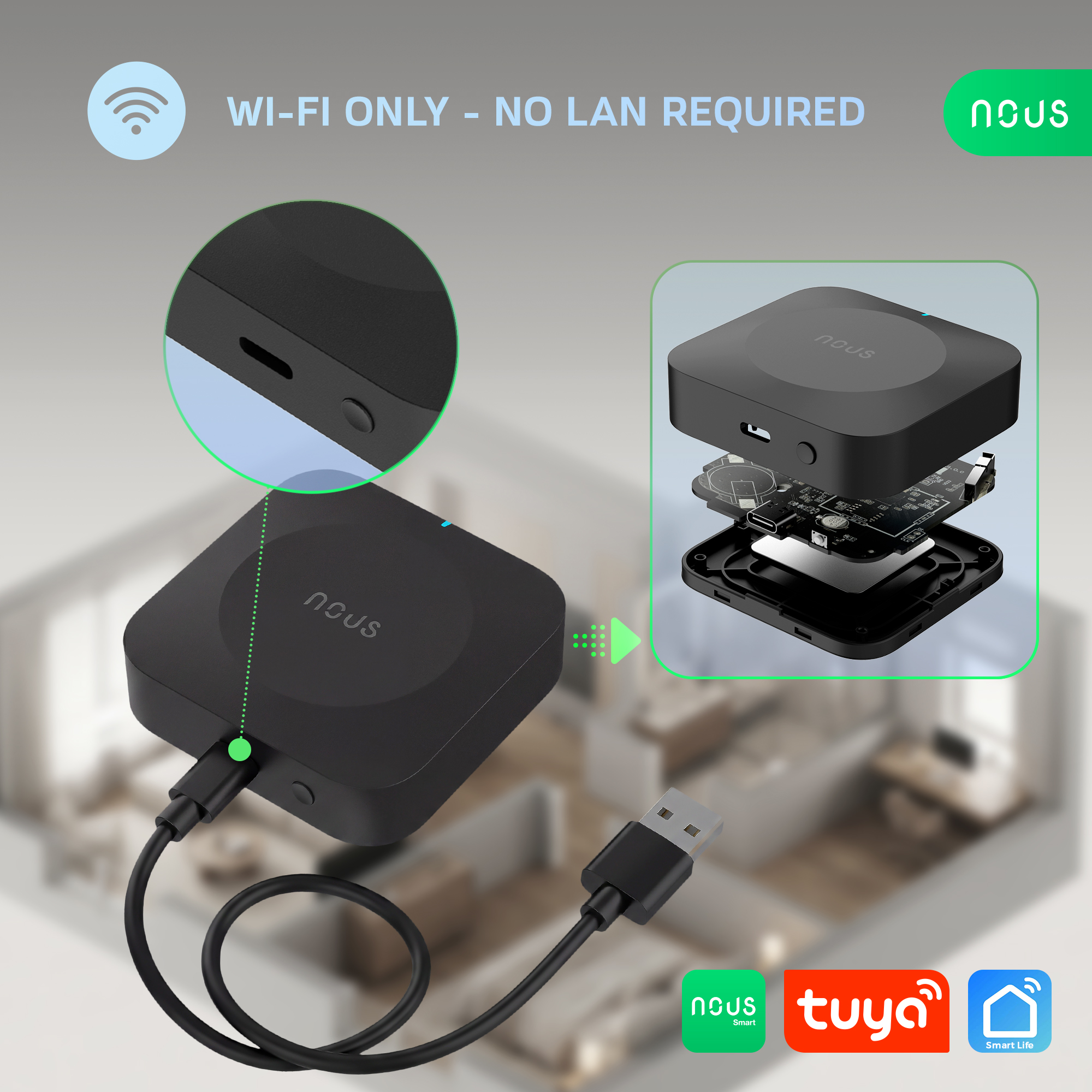
| Type-C input | Power connection port |
Features:
1. Dual-band gateway – 2.4/5 GHz Wi-Fi
2. Maximum connectivity: supports up to 128 Zigbee devices (32 low-power Zigbee devices), or 128 SigMesh devices, or 64 Beacon Mesh devices, or real-time control of 4 long-range devices with a single signal source/BLE.
3. Automatic pairing: When adding new SigMesh/Beacon Mesh devices via a mobile phone’s Bluetooth, they automatically connect to the gateway and enable remote control functionality.
4. One-button pairing: A short press of the button on the gateway puts the device into extended pairing mode (the indicator will flash), which lasts 1 hour. During this time, if additional devices are in pairing mode, they will be added automatically. Simultaneous addition of multiple devices is supported. Pressing the button again turns off one-touch pairing mode.
5. Remote control: Users can control devices via the gateway using the app or voice commands (Alexa, Google Home, etc.).
6. Cloud-based scenarios/automation: Using the scenario and automation settings in the app, the gateway’s connected devices can interact with other smart devices (e.g., Wi-Fi smart plugs).
7. Local scenarios/automation: The gateway prioritizes local scenarios/automation over cloud-based ones, reducing cloud latency. Local scenarios/automation respond quickly even when disconnected from the external network.
8. Long/short connections: The gateway supports long-range connections between individual devices and on-demand connections with slave devices to meet power consumption requirements in various application scenarios.
9. OTA: Not only does it support over-the-air (OTA) firmware updates for the gateway, but it also supports firmware updates for Zigbee slave devices, SigMesh, Single Point/BLE Long Range, and Beacon Mesh devices via the gateway.
10. Signal Level Detection: The gateway can detect the Wi-Fi signal level between the router and the gateway, as well as the Zigbee/Bluetooth signal level between slave devices and the gateway. This helps the end user quickly diagnose connection issues.
11. BLE Long Range: Thanks to the Coded PHY mode in the Bluetooth 5.0 protocol, it provides a transmission range of over 300 meters, making it suitable for low-power, long-range communication applications.
Package contents: Gateway, Type-C USB cable (0.5 m), manual.
2. TECHNICAL CHARACTERISTICS
|
Protocol |
Frequency |
Max. Transmit Power |
Working Range (outdoors) |
|
2.4 GHz Wi-Fi |
2400 - 2483.5 MHz |
18 dBm |
200m |
|
5 GHz Wi-Fi |
5150 - 5875 MHz |
18 dBm |
200m |
|
Zigbee |
2400 - 2483 MHz |
20 dBm |
170m |
|
Bluetooth 5.0 |
2402 - 2480 MHz |
10 dBm |
100 (300)m |
Network Protocol (Wi-Fi): IEEE 802.11 a/b/g/n
Network Protocol (ZigBee 3.0): IEEE 802.15.4
Power Input: 5V DC, 1A
Working Temperature: 0°C~45°C
Working Humidity: 10-90%RH
Dimension: 66*66*20,4mm
 |
3. SAFETY AND PRECAUTIONARY MEASURES
- Please read this manual carefully.
- Use the product within the temperature and humidity limits specified in the technical data sheet.
- Do not install the product near heat sources such as radiators, etc.
- Do not allow the device to fall or be subject to mechanical stress.
- Do not use chemically active or abrasive detergents to clean the product. Use a damp flannel cloth instead.
- Do not exceed the specified power rating. This may result in a short circuit and electric shock.
- Do not disassemble the product yourself - diagnostics and repairs of the device should only be carried out at a certified service center.
4. CONNECTION
To connect the Nous device, you need a smartphone based on the Android or iOS mobile operating system with the Nous Smart Home application installed. This mobile application is free and available for download from Play Market and App Store. The QR code for the application is given below:
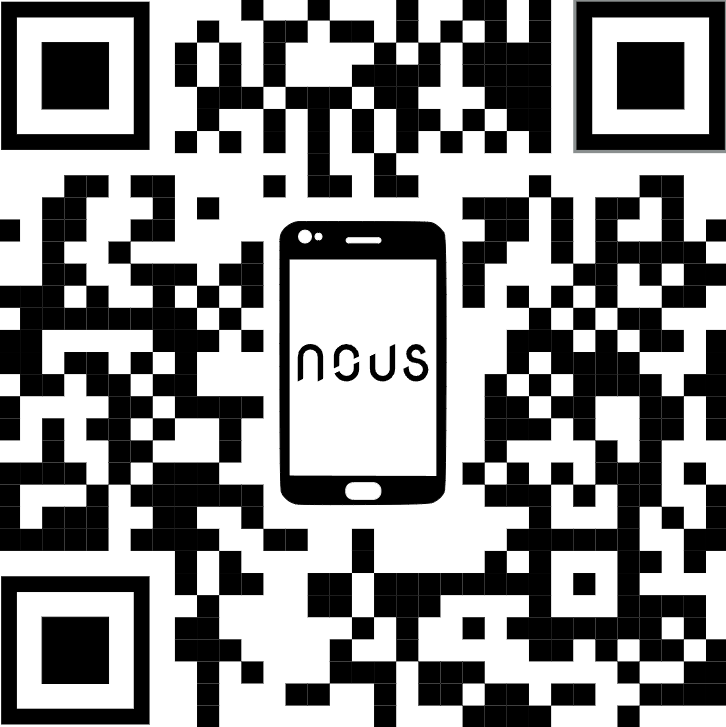 |
Scan the QR code or download it from direct link
Quick Installation Guide:
1. Scan QR code or search NOUS Smart Home in APP Store or Google Play to install APP(new user must register account first).
2. Connect mobile phone to your 2.4/5GHz Wi-Fi router (with internet) and plug in the Smart Gateway to outlet.
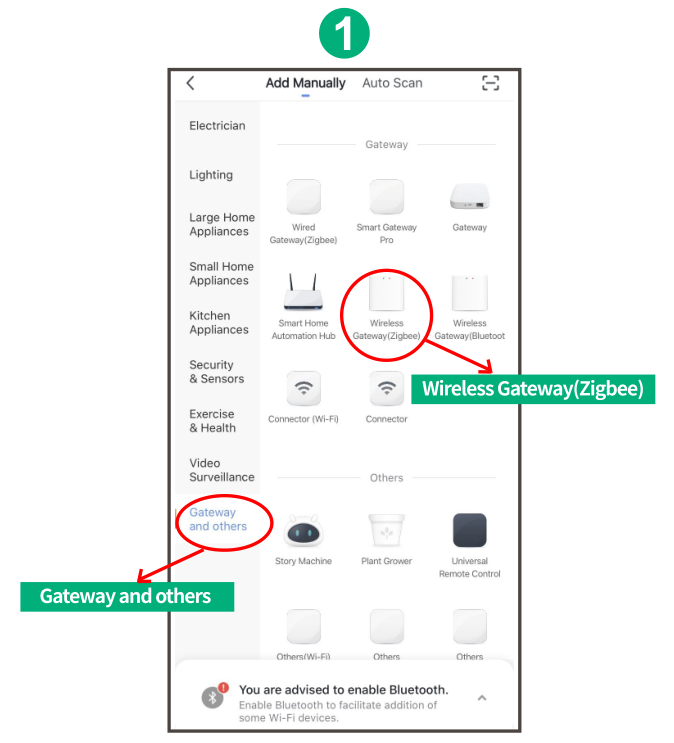
3. Run NOUS Smart Home APP, Click"+" at the top right corner (select Gateway and Others-> Wireless Gateway(zigbee)
 |
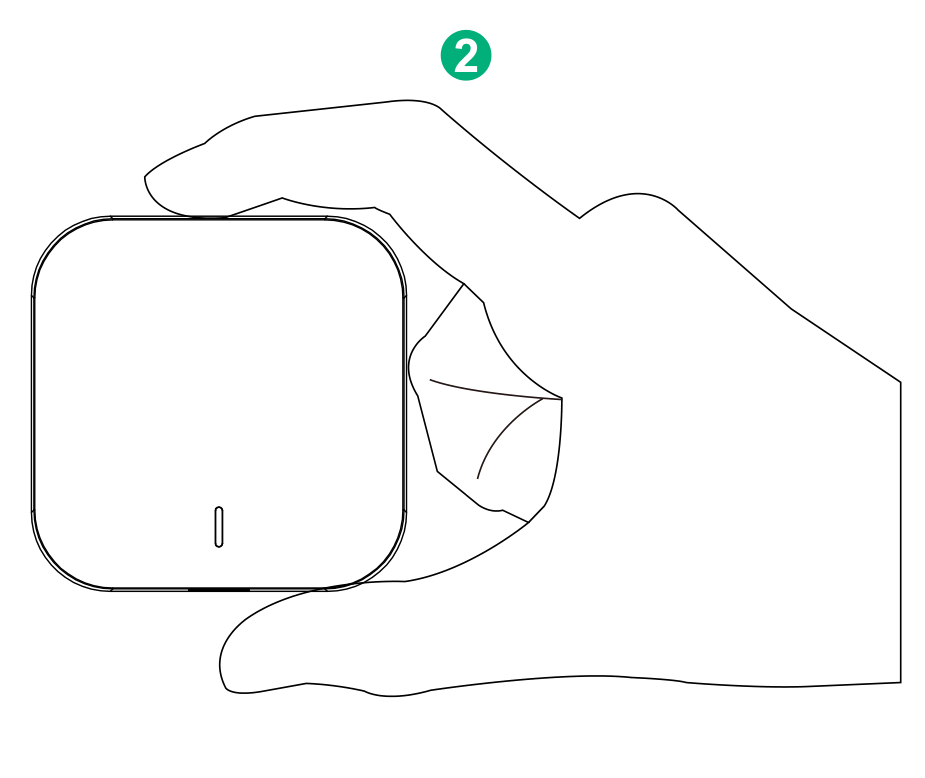
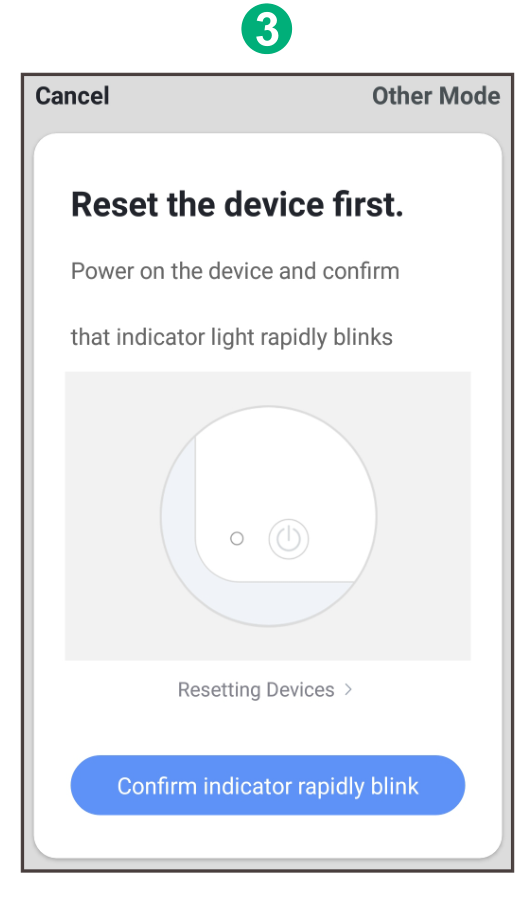
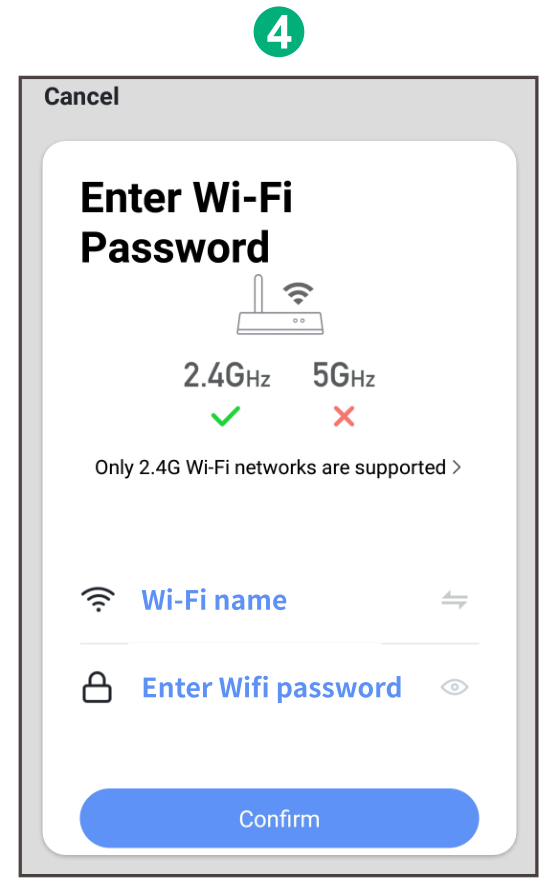
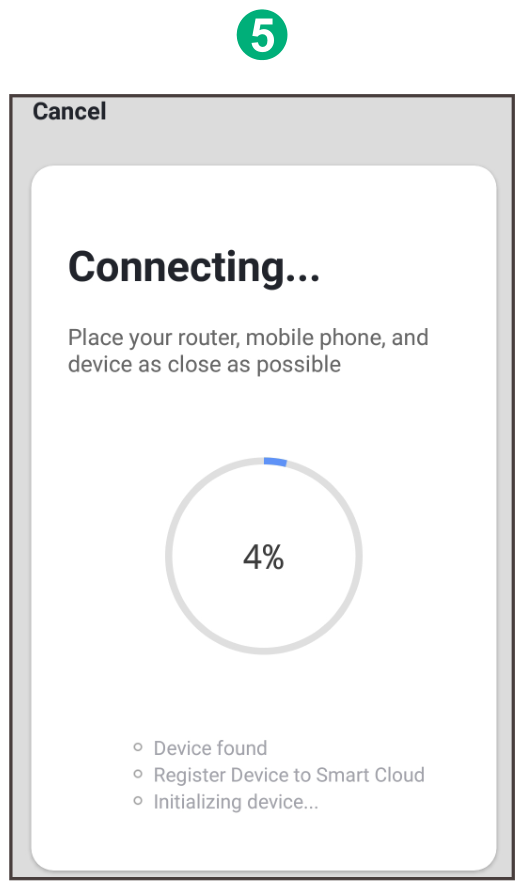
4. Pressing the button for 5 seconds until the red LED blinks, then follow the in-app instructions to connect the smart gateway to your network.
|
|
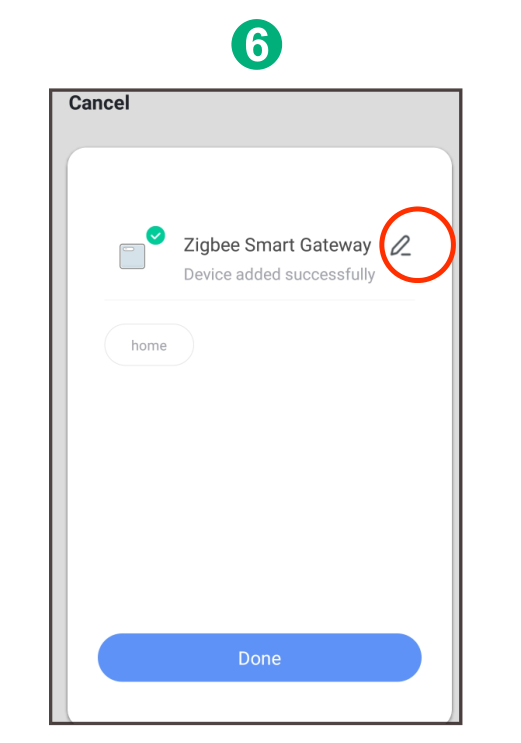
5. Waiting for a few seconds ,you can see the gateway is shown and you may rename it. Press "Done" to finish the installation of gateway
 |
BEDIENUNGSANLEITUNG
1. BESCHREIBUNG
Das NOUS E15 ZigBee Smart Gateway (2,4/5 GHz) ist ein Dualband-Multimode-WLAN-Gateway, das 2,4/5-GHz-WLAN, ZigBee, SigMesh, Beacon Mesh und die Kommunikation mit BLE-Geräten mit großer Reichweite unterstützt. Durch die Verbindung mit dem Gateway wird eine Verbindung zur Cloud und zur App hergestellt. Pro Gateway können bis zu 128 Smart-Geräte gesteuert werden, die das ZigBee/Bluetooth-Protokoll verwenden.
|
| Statusanzeige | Pulsierendes Orange – WLAN im Kopplungsmodus (bereit zur Konfiguration) Pulsierendes Blau – Hinzufügen von Untergeräten Rot – Verbindung zum Internet getrennt Blau – Betriebsmodus |
| Taste | 5 Sekunden lang gedrückt halten – zurücksetzen |
| Typ-C-Eingang | Stromanschluss |
Merkmale:
1. Dualband-Gateway – 2,4/5-GHz-WLAN
2. Maximale Konnektivität: Unterstützt bis zu 128 ZigBee-Geräte (32 Low-Power-ZigBee-Geräte), oder 128 SigMesh-Geräte, oder 64 Beacon-Mesh-Geräte, oder Echtzeitsteuerung von 4 Langstreckengeräten mit einer einzigen Signalquelle/BLE.
3. Automatische Kopplung: Beim Hinzufügen neuer SigMesh/Beacon Mesh-Geräte über Bluetooth eines Mobiltelefons verbinden sich diese automatisch mit dem Gateway und aktivieren die Fernsteuerungsfunktion.
4. Kopplung per Knopfdruck: Ein kurzer Druck auf die Taste am Gateway versetzt das Gerät in den erweiterten Kopplungsmodus (die Anzeige blinkt). Dieser Modus ist eine Stunde lang aktiv. Befinden sich während dieser Zeit weitere Geräte im Kopplungsmodus, werden diese automatisch hinzugefügt. Das gleichzeitige Hinzufügen mehrerer Geräte wird unterstützt. Durch erneutes Drücken der Taste wird der Kopplungsmodus deaktiviert.
5. Fernsteuerung: Benutzer können Geräte über das Gateway mithilfe der App oder Sprachbefehlen (Alexa, Google Home usw.) steuern.
6. Cloudbasierte Szenarien/Automatisierung: Mithilfe der Szenario- und Automatisierungseinstellungen in der App können die mit dem Gateway verbundenen Geräte mit anderen Smart-Geräten interagieren (z. B. mit WLAN-Steckdosen).
7. Lokale Szenarien/Automatisierung: Das Gateway priorisiert lokale Szenarien/Automatisierungen gegenüber cloudbasierten und reduziert so die Cloud-Latenz. Lokale Szenarien/Automatisierungen reagieren auch bei fehlender Verbindung zum externen Netzwerk schnell.
8. Verbindungen über große/kurze Distanzen: Das Gateway unterstützt Verbindungen über große Entfernungen zwischen einzelnen Geräten sowie bedarfsgesteuerte Verbindungen mit Slave-Geräten, um den Anforderungen an den Stromverbrauch in verschiedenen Anwendungsszenarien gerecht zu werden.
9. OTA: Es unterstützt nicht nur Firmware-Updates über die Luft (OTA) für das Gateway, sondern auch Firmware-Updates für Zigbee-Slave-Geräte, SigMesh-, Single Point/BLE Long Range- und Beacon Mesh-Geräte über das Gateway.
10. Signalstärkeerkennung: Das Gateway kann die WLAN-Signalstärke zwischen Router und Gateway sowie die ZigBee-/Bluetooth-Signalstärke zwischen Slave-Geräten und Gateway messen. Dies hilft dem Endbenutzer, Verbindungsprobleme schnell zu diagnostizieren.
11. BLE Long Range: Dank des Coded PHY-Modus im Bluetooth 5.0-Protokoll bietet es eine Übertragungsreichweite von über 300 Metern und eignet sich daher für Anwendungen mit geringem Stromverbrauch und großer Reichweite.
Lieferumfang: Gateway, USB-Typ-C-Kabel (0,5 m), Bedienungsanleitung.
2. TECHNISCHE MERKMALE
|
Protokoll |
Frequenz |
Maximale Sendeleistung |
Arbeitsbereich (im Freien) |
|
2,4-GHz-WLAN |
2400 - 2483,5 MHz |
18 dBm |
200 m |
|
5-GHz-WLAN |
5150 - 5875 MHz |
18 dBm |
200 m |
|
ZigBee |
2400 - 2483 MHz |
20 dBm |
170 m |
|
Bluetooth 5.0 |
2402 - 2480 MHz |
10 dBm |
100 (300) m |
Netzwerkprotokoll (WLAN): IEEE 802.11 a/b/g/n
Netzwerkprotokoll (ZigBee 3.0): IEEE 802.15.4
Eingangsspannung: 5V DC, 1 A
Betriebstemperatur: 0 °C bis 45 °C
Betriebsfeuchtigkeit: 10–90 % relative Luftfeuchtigkeit
Abmessungen: 66 x 66 x 20,4 mm
|
3. Sicherheits- und Vorsichtsmaßnahmen
- Bitte lesen Sie diese Bedienungsanleitung sorgfältig durch.
- Das Produkt ist innerhalb der im technischen Datenblatt angegebenen Temperatur- und Feuchtigkeitsgrenzen zu verwenden.
- Installieren Sie das Produkt nicht in der Nähe von Wärmequellen wie Heizkörpern usw.
- Das Gerät darf nicht herunterfallen oder mechanischen Belastungen ausgesetzt werden.
- Verwenden Sie zur Reinigung des Produkts keine chemisch aktiven oder scheuernden Reinigungsmittel. Verwenden Sie stattdessen ein feuchtes Flanelltuch.
- Die angegebene Nennleistung darf nicht überschritten werden. Andernfalls kann es zu einem Kurzschluss und einem Stromschlag kommen.
- Zerlegen Sie das Produkt nicht selbst – Diagnose und Reparatur des Geräts sollten nur in einem zertifizierten Servicecenter durchgeführt werden.
4. VERBINDUNG
Um das Nous-Gerät zu verbinden, benötigen Sie ein Smartphone mit Android- oder iOS-Betriebssystem und der installierten Nous Smart Home-App. Diese App ist kostenlos und kann im Play Store und App Store heruntergeladen werden. Den QR-Code für die App finden Sie unten.
|
Scannen Sie den QR-Code oder laden Sie die Datei über den Direktlink herunter.
Kurzanleitung zur Installation:
1. Scannen Sie den QR-Code oder suchen Sie im App Store oder bei Google Play nach NOUS Smart Home, um die App zu installieren (neue Benutzer müssen sich zuerst registrieren).
2. Verbinden Sie Ihr Mobiltelefon mit Ihrem 2,4/5-GHz-WLAN-Router (mit Internetanschluss) und stecken Sie das Smart Gateway in die Steckdose.
3. Starten Sie die NOUS Smart Home App, klicken Sie oben rechts auf "+" (wählen Sie Gateway und andere -> Drahtlos-Gateway (ZigBee))
|
4. Drücken Sie die Taste 5 Sekunden lang, bis die rote LED blinkt, und folgen Sie dann den Anweisungen in der App, um das Smart Gateway mit Ihrem Netzwerk zu verbinden.
|
|
5. Nach einigen Sekunden wird das Gateway angezeigt und Sie können es umbenennen. Klicken Sie auf „Fertig“, um die Gateway-Installation abzuschließen.
|
MANUEL D'UTILISATION
1. DESCRIPTION
La passerelle intelligente NOUS E15 ZigBee (2,4/5 GHz) est une passerelle sans fil bi-bande et multimode compatible avec le Wi-Fi 2,4/5 GHz, Zigbee, SigMesh, Beacon Mesh et la communication avec les appareils BLE longue portée. En vous connectant à la passerelle, vous accédez au cloud et à l'application, et pouvez contrôler jusqu'à 128 appareils intelligents par passerelle utilisant le protocole Zigbee/Bluetooth.
|
| Indicateur d'état | Orange clignotant: Wi-Fi en mode appairage (prêt à être configuré) Bleu clignotant: ajout de sous-appareils Rouge: déconnecté d’Internet Bleu: en fonctionnement |
| Bouton | Maintenir la pression pendant 5 secondes – réinitialiser |
| Entrée de type C | port de connexion d'alimentation |
Caractéristiques:
1. Passerelle double bande – Wi-Fi 2,4/5 GHz
2. Connectivité maximale : prend en charge jusqu'à 128 appareils Zigbee (32 appareils Zigbee basse consommation), ou 128 appareils SigMesh, ou 64 appareils Beacon Mesh, ou le contrôle en temps réel de 4 appareils longue portée avec une seule source de signal/BLE.
3. Appairage automatique : lors de l’ajout de nouveaux appareils SigMesh/Beacon Mesh via le Bluetooth d’un téléphone mobile, ceux-ci se connectent automatiquement à la passerelle et activent la fonctionnalité de contrôle à distance.
4. Appairage simplifié : Une brève pression sur le bouton de la passerelle active le mode d’appairage étendu (le voyant clignote) pendant 1 heure. Durant cette période, les appareils supplémentaires en mode d’appairage seront ajoutés automatiquement. L’ajout simultané de plusieurs appareils est possible. Appuyer de nouveau sur le bouton désactive le mode d’appairage simplifié.
5. Contrôle à distance : Les utilisateurs peuvent contrôler les appareils via la passerelle à l'aide de l'application ou de commandes vocales (Alexa, Google Home, etc.).
6. Scénarios/automatisation basés sur le cloud : en utilisant les paramètres de scénario et d'automatisation de l'application, les appareils connectés à la passerelle peuvent interagir avec d'autres appareils intelligents (par exemple, des prises intelligentes Wi-Fi).
7. Scénarios/automatisation locaux : La passerelle privilégie les scénarios/automatisations locaux par rapport à ceux basés sur le cloud, réduisant ainsi la latence de ce dernier. Les scénarios/automatisations locaux répondent rapidement même en cas de déconnexion du réseau externe.
8. Connexions longues/courtes : La passerelle prend en charge les connexions à longue portée entre les appareils individuels et les connexions à la demande avec les appareils esclaves pour répondre aux exigences de consommation d'énergie dans divers scénarios d'application.
9. OTA : Non seulement il prend en charge les mises à jour du micrologiciel par voie aérienne (OTA) pour la passerelle, mais il prend également en charge les mises à jour du micrologiciel pour les appareils esclaves Zigbee, SigMesh, Single Point/BLE Long Range et Beacon Mesh via la passerelle.
10. Détection du niveau de signal : La passerelle détecte le niveau du signal Wi-Fi entre le routeur et la passerelle, ainsi que le niveau du signal Zigbee/Bluetooth entre les appareils esclaves et la passerelle. Cela permet à l’utilisateur final de diagnostiquer rapidement les problèmes de connexion.
11. BLE Longue Portée : Grâce au mode Coded PHY du protocole Bluetooth 5.0, il offre une portée de transmission de plus de 300 mètres, ce qui le rend adapté aux applications de communication longue portée à faible consommation.
Contenu de l'emballage : Gateway, câble USB Type-C (0,5 m), manuel.
2. CARACTÉRISTIQUES TECHNIQUES
|
Protocole |
Fréquence |
Puissance d'émission maximale |
Zone de travail (extérieur) |
|
Wi-Fi 2,4 GHz |
2400 - 2483,5 MHz |
18 dBm |
200 m |
|
Wi-Fi 5 GHz |
5150 - 5875 MHz |
18 dBm |
200 m |
|
Zigbee |
2400 - 2483 MHz |
20 dBm |
170 m |
|
Bluetooth 5.0 |
2402 - 2480 MHz |
10 dBm |
100 (300) m |
Protocole réseau (Wi-Fi): IEEE 802.11 a/b/g/n
Protocole réseau (ZigBee 3.0): IEEE 802.15.4
Alimentation: 5 V CC, 1 A
Température de fonctionnement: 0 °C à 45 °C
Humidité de fonctionnement: 10 à 90 % HR
Dimensions: 66*66*20,4 mm
|
3. MESURES DE SÉCURITÉ ET DE PRÉCAUTION
- Veuillez lire attentivement ce manuel.
- Utilisez le produit dans les limites de température et d'humidité spécifiées dans la fiche technique.
- Ne pas installer le produit à proximité de sources de chaleur telles que des radiateurs, etc.
- Ne laissez pas l'appareil tomber ou être soumis à des contraintes mécaniques.
- N’utilisez pas de détergents chimiques ou abrasifs pour nettoyer le produit. Utilisez plutôt un chiffon de flanelle humide.
- Ne dépassez pas la puissance nominale spécifiée. Cela pourrait provoquer un court-circuit et une électrocution.
- Ne démontez pas vous-même le produit ; les diagnostics et les réparations de l’appareil doivent être effectués uniquement dans un centre de service agréé.
4. CONNEXION
Pour connecter l'appareil Nous, vous avez besoin d'un smartphone Android ou iOS sur lequel l'application Nous Smart Home est installée. Cette application mobile est gratuite et disponible au téléchargement sur le Play Store et l'App Store. Le code QR de l'application est indiqué ci-dessous :
|
Scannez le code QR ou téléchargez-le via le lien direct
Guide d'installation rapide :
1. Scannez le code QR ou recherchez NOUS Smart Home sur l'App Store ou Google Play pour installer l'application (les nouveaux utilisateurs doivent d'abord créer un compte).
2. Connectez votre téléphone portable à votre routeur Wi-Fi 2,4/5 GHz (avec accès Internet) et branchez la passerelle intelligente à une prise de courant.
3. Lancez l'application NOUS Smart Home, cliquez sur « + » dans le coin supérieur droit (sélectionnez Passerelle et autres -> Passerelle sans fil (Zigbee)).
|
4. Appuyez sur le bouton pendant 5 secondes jusqu'à ce que la LED rouge clignote, puis suivez les instructions de l'application pour connecter la passerelle intelligente à votre réseau.
|
|
5. Après quelques secondes, la passerelle s'affiche et vous pouvez la renommer. Appuyez sur « Terminé » pour finaliser l'installation.
|
INSTRUKCJA OBSŁUGI
1. OPIS
Bramka inteligentna NOUS E15 ZigBee (2,4/5 GHz) – to dwupasmowa, wielomodowa bramka bezprzewodowa obsługująca Wi-Fi 2,4/5 GHz, Zigbee, SigMesh, Beacon Mesh oraz komunikację z urządzeniami BLE dalekiego zasięgu. Łącząc się z bramką, nawiązujesz połączenie z chmurą i aplikacją, a także możesz sterować maksymalnie 128 inteligentnymi urządzeniami na bramkę, które korzystają z protokołu Zigbee/Bluetooth.
|
| Wskaźnik stanu | Pulsujący pomarańczowy – Wi-Fi w trybie parowania (gotowe do konfiguracji) Pulsujący niebieski – dodawanie urządzeń podrzędnych Czerwony – rozłączony z internetem Niebieski – tryb pracy |
| Przycisk | Przytrzymaj przez 5 sekund – reset |
| Wejście typu C | Port podłączenia zasilania |
Cechy:
1. Bramka dwupasmowa – Wi-Fi 2,4/5 GHz
2. Maksymalna łączność: obsługuje do 128 urządzeń Zigbee (32 urządzenia Zigbee o niskim poborze mocy), lub 128 urządzeń SigMesh, lub 64 urządzeń Beacon Mesh, lub umożliwia sterowanie w czasie rzeczywistym 4 urządzeniami dalekiego zasięgu przy użyciu jednego źródła sygnału/BLE.
3. Automatyczne parowanie: Po dodaniu nowych urządzeń SigMesh/Beacon Mesh za pomocą Bluetooth telefonu komórkowego, automatycznie łączą się one z bramą i umożliwiają funkcję zdalnego sterowania.
4. Parowanie jednym przyciskiem: Krótkie naciśnięcie przycisku na bramce przełącza urządzenie w tryb rozszerzonego parowania (wskaźnik będzie migać), który trwa 1 godzinę. Jeśli w tym czasie w trybie parowania znajdują się dodatkowe urządzenia, zostaną one automatycznie dodane. Obsługiwane jest jednoczesne dodawanie wielu urządzeń. Ponowne naciśnięcie przycisku wyłącza tryb parowania jednym przyciskiem.
5. Zdalne sterowanie: Użytkownicy mogą sterować urządzeniami za pośrednictwem bramki, korzystając z aplikacji lub komend głosowych (Alexa, Google Home itp.).
6. Scenariusze/automatyzacja oparta na chmurze: Korzystając z ustawień scenariuszy i automatyzacji w aplikacji, podłączone urządzenia bramy mogą wchodzić w interakcje z innymi inteligentnymi urządzeniami (np. inteligentnymi wtyczkami Wi-Fi).
7. Scenariusze lokalne/automatyzacja: Brama priorytetyzuje scenariusze lokalne/automatyzację nad scenariuszami w chmurze, zmniejszając opóźnienia w chmurze. Scenariusze lokalne/automatyzacja reagują szybko, nawet po odłączeniu od sieci zewnętrznej.
8. Połączenia długie/krótkie: Bramka obsługuje połączenia dalekiego zasięgu między poszczególnymi urządzeniami, a także połączenia na żądanie z urządzeniami podrzędnymi, co pozwala sprostać wymaganiom dotyczącym zużycia energii w różnych scenariuszach zastosowań.
9. OTA: Obsługuje nie tylko bezprzewodowe aktualizacje oprogramowania sprzętowego (OTA) dla bramy, ale także aktualizacje oprogramowania sprzętowego dla urządzeń podrzędnych Zigbee, SigMesh, Single Point/BLE Long Range i urządzeń Beacon Mesh za pośrednictwem bramy.
10. Wykrywanie poziomu sygnału: Bramka może wykrywać poziom sygnału Wi-Fi między routerem a bramką, a także poziom sygnału ZigBee/Bluetooth między urządzeniami podrzędnymi a bramką. Pomaga to użytkownikowi końcowemu szybko zdiagnozować problemy z połączeniem.
11. BLE Long Range: Dzięki trybowi Coded PHY w protokole Bluetooth 5.0 zapewnia zasięg transmisji przekraczający 300 metrów, co sprawia, że nadaje się do zastosowań komunikacyjnych o niskim poborze mocy i dużym zasięgu.
Zawartość opakowania: Bramka, kabel USB typu C (0,5 m), instrukcja.
2. DANE TECHNICZNE
|
Protokół |
Częstotliwość |
Maksymalna moc nadawania |
Zasięg roboczy (na zewnątrz) |
|
Wi-Fi 2,4 GHz |
2400 - 2483,5 MHz |
18 dBm |
200m |
|
Wi-Fi 5 GHz |
5150 - 5875 MHz |
18 dBm |
200m |
|
Zigbee |
2400 - 2483 MHz |
20 dBm |
170m |
|
Bluetooth 5.0 |
2402 - 2480 MHz |
10 dBm |
100 (300) metrów |
Protokół sieciowy (Wi-Fi): IEEE 802.11 a/b/g/n
Protokół sieciowy (ZigBee 3.0): IEEE 802.15.4
Wejście zasilania: 5 V DC, 1 A
Temperatura pracy: 0°C~45°C
Wilgotność robocza: 10-90% RH
Wymiary: 66*66*20,4 mm
|
3. ŚRODKI BEZPIECZEŃSTWA I ŚRODKI OSTROŻNOŚCI
- Proszę uważnie przeczytać tę instrukcję.
- Produkt należy stosować w zakresie temperatury i wilgotności określonym w karcie technicznej.
- Nie należy instalować produktu w pobliżu źródeł ciepła, takich jak grzejniki itp.
- Nie dopuść do upadku urządzenia lub narażenia go na obciążenia mechaniczne.
- Do czyszczenia produktu nie należy używać detergentów o działaniu chemicznym ani ściernym. Zamiast tego należy używać wilgotnej flanelowej ściereczki.
- Nie przekraczać zalecanej mocy znamionowej. Może to spowodować zwarcie i porażenie prądem.
- Nie należy samodzielnie demontować produktu – diagnostykę i naprawy urządzenia należy wykonywać wyłącznie w autoryzowanym serwisie.
4. POŁĄCZENIE
Aby podłączyć urządzenie Nous, potrzebujesz smartfona z systemem Android lub iOS z zainstalowaną aplikacją Nous Smart Home. Ta aplikacja mobilna jest darmowa i dostępna do pobrania w sklepach Play Market i App Store. Kod QR aplikacji znajduje się poniżej:
|
Zeskanuj kod QR lub pobierz go z bezpośredniego linku
Krótki przewodnik instalacji:
1. Zeskanuj kod QR lub wyszukaj NOUS Smart Home w APP Store lub Google Play, aby zainstalować aplikację (nowy użytkownik musi najpierw zarejestrować konto).
2. Podłącz telefon komórkowy do routera Wi-Fi 2,4/5 GHz (z dostępem do Internetu) i podłącz Smart Gateway do gniazdka.
3. Uruchom aplikację NOUS Smart Home, kliknij „+” w prawym górnym rogu (wybierz Bramka i inne -> Bramka bezprzewodowa (zigbee)
|
4. Naciśnij przycisk przez 5 sekund, aż czerwona dioda LED zacznie migać, a następnie postępuj zgodnie z instrukcjami w aplikacji, aby połączyć inteligentną bramkę z siecią.
|
|
5. Poczekaj kilka sekund, aż zobaczysz bramkę, którą możesz zmienić. Naciśnij „Gotowe”, aby zakończyć instalację bramki.
|
MANUALE OPERATIVO
1. DESCRIZIONE
NOUS E15 ZigBee Smart Gateway (2,4/5 GHz) è un gateway wireless dual-band e multimodale che supporta Wi-Fi a 2,4/5 GHz, Zigbee, SigMesh, Beacon Mesh e la comunicazione con dispositivi BLE a lungo raggio. Collegandosi al gateway, si stabilisce una connessione al cloud e all'app, e si possono controllare fino a 128 dispositivi smart per gateway che utilizzano il protocollo Zigbee/Bluetooth.
|
| Indicatore di stato | Arancione lampeggiante – Wi-Fi in modalità di abbinamento (pronto per la configurazione) Blu lampeggiante – aggiunta di dispositivi secondari Rosso – disconnesso da Internet Blu – modalità di funzionamento |
| Pulsante | Tieni premuto per 5 secondi – ripristina |
| Ingresso di tipo C | Porta di connessione dell'alimentazione |
Caratteristiche:
1. Gateway dual-band – Wi-Fi 2,4/5 GHz
2. Massima connettività: supporta fino a 128 dispositivi Zigbee (32 dispositivi Zigbee a basso consumo), oppure 128 dispositivi SigMesh, oppure 64 dispositivi Beacon Mesh, oppure il controllo in tempo reale di 4 dispositivi a lungo raggio con un'unica sorgente di segnale/BLE.
3. Abbinamento automatico: quando si aggiungono nuovi dispositivi SigMesh/Beacon Mesh tramite Bluetooth da un telefono cellulare, questi si connettono automaticamente al gateway e abilitano la funzionalità di controllo remoto.
4. Abbinamento con un solo pulsante: una breve pressione del pulsante sul gateway attiva la modalità di abbinamento estesa (l'indicatore lampeggerà), che dura 1 ora. Durante questo periodo, se altri dispositivi sono in modalità di abbinamento, verranno aggiunti automaticamente. È supportata l'aggiunta simultanea di più dispositivi. Premendo nuovamente il pulsante si disattiva la modalità di abbinamento con un solo tocco.
5. Controllo remoto: gli utenti possono controllare i dispositivi tramite il gateway utilizzando l'app o i comandi vocali (Alexa, Google Home, ecc.).
6. Scenari/automazione basati su cloud: utilizzando le impostazioni di scenario e automazione nell'app, i dispositivi connessi al gateway possono interagire con altri dispositivi intelligenti (ad esempio, prese intelligenti Wi-Fi).
7. Scenari/automazioni locali: il gateway dà priorità agli scenari/automazioni locali rispetto a quelli basati sul cloud, riducendo la latenza del cloud. Gli scenari/automazioni locali rispondono rapidamente anche in caso di disconnessione dalla rete esterna.
8. Connessioni lunghe/brevi: il gateway supporta connessioni a lungo raggio tra singoli dispositivi e connessioni on-demand con dispositivi slave per soddisfare i requisiti di consumo energetico in vari scenari applicativi.
9. OTA: Non solo supporta gli aggiornamenti firmware over-the-air (OTA) per il gateway, ma supporta anche gli aggiornamenti firmware per i dispositivi slave Zigbee, SigMesh, Single Point/BLE Long Range e Beacon Mesh tramite il gateway.
10. Rilevamento del livello del segnale: il gateway è in grado di rilevare il livello del segnale Wi-Fi tra il router e il gateway stesso, nonché il livello del segnale Zigbee/Bluetooth tra i dispositivi slave e il gateway. Questo consente all'utente finale di diagnosticare rapidamente i problemi di connessione.
11. BLE Long Range: Grazie alla modalità Coded PHY del protocollo Bluetooth 5.0, offre un raggio di trasmissione di oltre 300 metri, risultando ideale per applicazioni di comunicazione a lungo raggio e a basso consumo energetico.
Contenuto della confezione: Gateway, cavo USB Type-C (0,5 m), manuale.
2. CARATTERISTICHE TECNICHE
|
Protocollo |
Frequenza |
Potenza di trasmissione massima |
Area di lavoro (all'aperto) |
|
Wi-Fi a 2,4 GHz |
2400 - 2483,5 MHz |
18 dBm |
200 metri |
|
Wi-Fi a 5 GHz |
5150 - 5875 MHz |
18 dBm |
200 metri |
|
Zigbee |
2400 - 2483 MHz |
20 dBm |
170 metri |
|
Bluetooth 5.0 |
2402 - 2480 MHz |
10 dBm |
100 (300) m |
Protocollo di rete (Wi-Fi): IEEE 802.11 a/b/g/n
Protocollo di rete (ZigBee 3.0): IEEE 802.15.4
Ingresso alimentazione: 5 V CC, 1 A
Temperatura di esercizio: 0°C~45°C
Umidità di lavoro: 10-90% UR
Dimensioni: 66*66*20,4 mm
|
3. MISURE DI SICUREZZA E PRECAUZIONI
- Si prega di leggere attentamente questo manuale.
- Utilizzare il prodotto entro i limiti di temperatura e umidità specificati nella scheda tecnica.
- Non installare il prodotto in prossimità di fonti di calore come termosifoni, ecc.
- Non permettere che il dispositivo cada o sia sottoposto a sollecitazioni meccaniche.
- Non utilizzare detergenti chimicamente aggressivi o abrasivi per pulire il prodotto. Utilizzare invece un panno di flanella umido.
- Non superare la potenza nominale specificata. Ciò potrebbe causare un cortocircuito e una scossa elettrica.
- Non smontare il prodotto autonomamente: la diagnosi e la riparazione del dispositivo devono essere eseguite esclusivamente presso un centro di assistenza autorizzato.
4. CONNESSIONE
Per connettere il dispositivo Nous, è necessario uno smartphone con sistema operativo Android o iOS su cui sia installata l'applicazione Nous Smart Home. Questa applicazione è gratuita e disponibile per il download su Play Store e App Store. Il codice QR per l'applicazione è riportato di seguito:
|
Scansiona il codice QR o scaricalo tramite il link diretto.
Guida rapida all'installazione:
1. Scansiona il codice QR o cerca NOUS Smart Home nell'App Store o su Google Play per installare l'app (i nuovi utenti devono prima registrare un account).
2. Collega il telefono cellulare al router Wi-Fi a 2,4/5 GHz (con connessione internet) e collega lo Smart Gateway alla presa di corrente.
3. Avvia l'app NOUS Smart Home, fai clic su "+" nell'angolo in alto a destra (seleziona Gateway e altri -> Gateway wireless (zigbee)
|
4. Tenere premuto il pulsante per 5 secondi finché il LED rosso non lampeggia, quindi seguire le istruzioni nell'app per connettere il gateway intelligente alla rete.
|
|
5. Dopo aver atteso qualche secondo, verrà visualizzato il gateway e sarà possibile rinominarlo. Premere "Fine" per completare l'installazione del gateway.
|
MANUAL DE INSTRUCCIONES
1. DESCRIPCIÓN
El NOUS E15 ZigBee Smart Gateway (2,4/5 GHz) es un gateway inalámbrico multimodo de doble banda compatible con Wi-Fi de 2,4/5 GHz, Zigbee, SigMesh, Beacon Mesh y comunicación con dispositivos BLE de largo alcance. Al conectarse al gateway, se establece una conexión con la nube y la aplicación, y se pueden controlar hasta 128 dispositivos inteligentes por gateway que utilicen el protocolo Zigbee/Bluetooth.
|
| Indicador de estado | Naranja intermitente : Wi-Fi en modo de emparejamiento (listo para configurar) Azul intermitente : añadiendo subdispositivos Rojo : desconectado de Internet Azul : modo de funcionamiento |
| Botón | Mantén pulsado durante 5 segundos – reiniciar |
| Entrada tipo C | Puerto de conexión de alimentación |
Características:
1. Puerta de enlace de doble banda: Wi-Fi de 2,4/5 GHz
2. Conectividad máxima: admite hasta 128 dispositivos Zigbee (32 dispositivos Zigbee de baja potencia), o 128 dispositivos SigMesh, o 64 dispositivos Beacon Mesh, o el control en tiempo real de 4 dispositivos de largo alcance con una única fuente de señal/BLE.
3. Emparejamiento automático: Al agregar nuevos dispositivos SigMesh/Beacon Mesh a través del Bluetooth de un teléfono móvil, estos se conectan automáticamente a la puerta de enlace y habilitan la funcionalidad de control remoto.
4. Emparejamiento con un solo botón: Al pulsar brevemente el botón del router, el dispositivo entra en modo de emparejamiento extendido (el indicador parpadeará) durante 1 hora. Durante este tiempo, si hay otros dispositivos en modo de emparejamiento, se añadirán automáticamente. Se admite la adición simultánea de varios dispositivos. Al pulsar el botón de nuevo, se desactiva el modo de emparejamiento con un solo toque.
5. Control remoto: Los usuarios pueden controlar los dispositivos a través de la puerta de enlace mediante la aplicación o comandos de voz (Alexa, Google Home, etc.).
6. Escenarios/automatización basados en la nube: Mediante la configuración de escenarios y automatización en la aplicación, los dispositivos conectados a la puerta de enlace pueden interactuar con otros dispositivos inteligentes (por ejemplo, enchufes inteligentes Wi-Fi).
7. Escenarios/automatización locales: La puerta de enlace prioriza los escenarios/automatizaciones locales sobre los basados en la nube, lo que reduce la latencia en la nube. Los escenarios/automatizaciones locales responden rápidamente incluso cuando están desconectados de la red externa.
8. Conexiones de largo/corto alcance: La puerta de enlace admite conexiones de largo alcance entre dispositivos individuales y conexiones bajo demanda con dispositivos esclavos para satisfacer los requisitos de consumo de energía en diversos escenarios de aplicación.
9. OTA: No solo admite actualizaciones de firmware inalámbricas (OTA) para la puerta de enlace, sino que también admite actualizaciones de firmware para dispositivos esclavos Zigbee, SigMesh, Single Point/BLE Long Range y Beacon Mesh a través de la puerta de enlace.
10. Detección del nivel de señal: La puerta de enlace puede detectar el nivel de señal Wi-Fi entre el router y la puerta de enlace, así como el nivel de señal Zigbee/Bluetooth entre los dispositivos esclavos y la puerta de enlace. Esto ayuda al usuario final a diagnosticar rápidamente los problemas de conexión.
11. BLE de largo alcance: Gracias al modo PHY codificado del protocolo Bluetooth 5.0, ofrece un alcance de transmisión de más de 300 metros, lo que lo hace adecuado para aplicaciones de comunicación de largo alcance y bajo consumo.
Contenido del paquete: Puerta de enlace, cable USB tipo C (0,5 m), manual.
2. CARACTERÍSTICAS TÉCNICAS
|
Protocolo |
Frecuencia |
Potencia máxima de transmisión |
Campo de tiro (al aire libre) |
|
Wi-Fi de 2,4 GHz |
2400 - 2483,5 MHz |
18 dBm |
200 metros |
|
Wi-Fi de 5 GHz |
5150 - 5875 MHz |
18 dBm |
200 metros |
|
Zigbee |
2400 - 2483 MHz |
20 dBm |
170 metros |
|
Bluetooth 5.0 |
2402 - 2480 MHz |
10 dBm |
100 (300) m |
Protocolo de red (Wi-Fi): IEEE 802.11 a/b/g/n
Protocolo de red (ZigBee 3.0): IEEE 802.15.4
Entrada de alimentación: 5 V CC, 1 A
Temperatura de funcionamiento: 0 °C ~ 45 °C
Humedad de funcionamiento: 10-90% HR
Dimensiones: 66*66*20,4 mm
|
3. MEDIDAS DE SEGURIDAD Y PRECAUCIÓN
- Lea este manual detenidamente.
- Utilice el producto dentro de los límites de temperatura y humedad especificados en la ficha técnica.
- No instale el producto cerca de fuentes de calor como radiadores, etc.
- No permita que el dispositivo se caiga ni que sea sometido a esfuerzos mecánicos.
- No utilice detergentes químicamente activos ni abrasivos para limpiar el producto. En su lugar, utilice un paño de franela húmedo.
- No exceda la potencia nominal especificada. Esto podría provocar un cortocircuito y una descarga eléctrica.
- No desmonte usted mismo el producto; el diagnóstico y las reparaciones del dispositivo solo deben realizarse en un centro de servicio certificado.
4. CONEXIÓN
Para conectar el dispositivo Nous, necesita un smartphone con sistema operativo Android o iOS y la aplicación Nous Smart Home instalada. Esta aplicación es gratuita y se puede descargar desde Google Play y la App Store. El código QR de la aplicación se muestra a continuación:
|
Escanea el código QR o descárgalo desde el enlace directo.
Guía de instalación rápida:
1. Escanee el código QR o busque NOUS Smart Home en la App Store o Google Play para instalar la aplicación (los nuevos usuarios deben registrar una cuenta primero).
2. Conecte su teléfono móvil a su router Wi-Fi de 2,4/5 GHz (con acceso a internet) y enchufe el Smart Gateway a la toma de corriente.
3. Ejecute la aplicación NOUS Smart Home, haga clic en "+" en la esquina superior derecha (seleccione Puerta de enlace y otros -> Puerta de enlace inalámbrica (zigbee)
|
4. Mantén pulsado el botón durante 5 segundos hasta que el LED rojo parpadee y, a continuación, sigue las instrucciones de la aplicación para conectar la puerta de enlace inteligente a tu red.
|
|
5. Espere unos segundos; verá que se muestra la puerta de enlace y podrá cambiarle el nombre. Pulse "Listo" para finalizar la instalación de la puerta de enlace.
|
NÁVOD NA POUŽITIE
1. POPIS
Inteligentná brána NOUS E15 ZigBee (2,4/5 GHz) – je dvojpásmová, viacrežimová bezdrôtová brána, ktorá podporuje Wi-Fi 2,4/5 GHz, Zigbee, SigMesh, Beacon Mesh a komunikáciu so zariadeniami BLE s dlhým dosahom. Pripojením k bráne vytvoríte spojenie s cloudom a aplikáciou a môžete ovládať až 128 inteligentných zariadení na jednu bránu, ktoré používajú protokol Zigbee/Bluetooth.
|
| Indikátor stavu | Bliká oranžová – Wi-Fi v režime párovania (pripravené na konfiguráciu) Bliká modrá – pridávanie podriadených zariadení Červená – odpojené od internetu Modrá – prevádzkový režim |
| Tlačidlo | Podržte 5 sekúnd – reset |
| Vstup typu C | Port na pripojenie napájania |
Vlastnosti:
1. Dvojpásmová brána – Wi-Fi 2,4/5 GHz
2. Maximálna konektivita: podporuje až 128 zariadení Zigbee (32 zariadení Zigbee s nízkou spotrebou energie), alebo 128 zariadení SigMesh, alebo 64 zariadení Beacon Mesh, alebo ovládanie 4 zariadení s dlhým dosahom v reálnom čase s jedným zdrojom signálu/BLE.
3. Automatické párovanie: Pri pridávaní nových zariadení SigMesh/Beacon Mesh cez Bluetooth mobilného telefónu sa tieto zariadenia automaticky pripoja k bráne a umožnia funkciu diaľkového ovládania.
4. One-button pairing: A short press of the button on the gateway puts the device into extended pairing mode (the indicator will flash), which lasts 1 hour. During this time, if additional devices are in pairing mode, they will be added automatically. Simultaneous addition of multiple devices is supported. Pressing the button again turns off one-touch pairing mode.
5. Remote control: Users can control devices via the gateway using the app or voice commands (Alexa, Google Home, etc.).
6. Cloud-based scenarios/automation: Using the scenario and automation settings in the app, the gateway’s connected devices can interact with other smart devices (e.g., Wi-Fi smart plugs).
7. Local scenarios/automation: The gateway prioritizes local scenarios/automation over cloud-based ones, reducing cloud latency. Local scenarios/automation respond quickly even when disconnected from the external network.
8. Long/short connections: The gateway supports long-range connections between individual devices and on-demand connections with slave devices to meet power consumption requirements in various application scenarios.
9. OTA: Not only does it support over-the-air (OTA) firmware updates for the gateway, but it also supports firmware updates for Zigbee slave devices, SigMesh, Single Point/BLE Long Range, and Beacon Mesh devices via the gateway.
10. Signal Level Detection: The gateway can detect the Wi-Fi signal level between the router and the gateway, as well as the Zigbee/Bluetooth signal level between slave devices and the gateway. This helps the end user quickly diagnose connection issues.
11. BLE Long Range: Thanks to the Coded PHY mode in the Bluetooth 5.0 protocol, it provides a transmission range of over 300 meters, making it suitable for low-power, long-range communication applications.
Package contents: Gateway, Type-C USB cable (0.5 m), manual.
2. TECHNICAL CHARACTERISTICS
|
Protocol |
Frequency |
Max. Transmit Power |
Working Range (outdoors) |
|
2.4 GHz Wi-Fi |
2400 - 2483.5 MHz |
18 dBm |
200m |
|
5 GHz Wi-Fi |
5150 - 5875 MHz |
18 dBm |
200m |
|
Zigbee |
2400 - 2483 MHz |
20 dBm |
170m |
|
Bluetooth 5.0 |
2402 - 2480 MHz |
10 dBm |
100 (300)m |
Network Protocol (Wi-Fi): IEEE 802.11 a/b/g/n
Network Protocol (ZigBee 3.0): IEEE 802.15.4
Power Input: 5V DC, 1A
Working Temperature: 0°C~45°C
Working Humidity: 10-90%RH
Dimension: 66*66*20,4mm
|
3. SAFETY AND PRECAUTIONARY MEASURES
- Please read this manual carefully.
- Use the product within the temperature and humidity limits specified in the technical data sheet.
- Do not install the product near heat sources such as radiators, etc.
- Do not allow the device to fall or be subject to mechanical stress.
- Do not use chemically active or abrasive detergents to clean the product. Use a damp flannel cloth instead.
- Do not exceed the specified power rating. This may result in a short circuit and electric shock.
- Do not disassemble the product yourself - diagnostics and repairs of the device should only be carried out at a certified service center.
4. CONNECTION
Na pripojenie zariadenia Nous potrebujete smartfón s mobilným operačným systémom Android alebo iOS s nainštalovanou aplikáciou Nous Smart Home. Táto mobilná aplikácia je bezplatná a dostupná na stiahnutie z Play Marketu a App Store. QR kód aplikácie je uvedený nižšie:
|
Naskenujte QR kód alebo si ho stiahnite z priameho odkazu
Stručný návod na inštaláciu:
1. Naskenujte QR kód alebo vyhľadajte NOUS Smart Home v obchode APP Store alebo Google Play a nainštalujte si aplikáciu (nový používateľ sa musí najprv zaregistrovať).
2. Pripojte mobilný telefón k 2,4/5 GHz Wi-Fi routeru (s internetom) a zapojte inteligentnú bránu do zásuvky.
3. Spustite aplikáciu NOUS Smart Home, kliknite na „+“ v pravom hornom rohu (vyberte Brána a ďalšie -> Bezdrôtová brána (zigbee)
|
4. Stlačte tlačidlo na 5 sekúnd, kým nezačne blikať červená LED dióda, potom postupujte podľa pokynov v aplikácii a pripojte inteligentnú bránu k sieti.
|
|
5. Počkajte niekoľko sekúnd, kým sa zobrazí brána a môžete ju premenovať. Stlačením tlačidla „Hotovo“ dokončíte inštaláciu brány.
|
PROVOZNÍ NÁVOD
1. POPIS
Inteligentní brána NOUS E15 ZigBee (2,4/5 GHz) – je dvoupásmová, vícerežimová bezdrátová brána, která podporuje Wi-Fi 2,4/5 GHz, Zigbee, SigMesh, Beacon Mesh a komunikaci se zařízeními BLE s dlouhým dosahem. Připojením k bráně navážete spojení se cloudem a aplikací a můžete ovládat až 128 chytrých zařízení na jednu bránu, která používají protokol Zigbee/Bluetooth.
|
| Indikátor stavu | Bliká oranžová – Wi-Fi v režimu párování (připraveno ke konfiguraci) Bliká modrá – přidávání podzařízení Červená – odpojeno od internetu Modrá – provozní režim |
| Tlačítko | Podržte 5 sekund – reset |
| Vstup typu C | Port pro připojení napájení |
Vlastnosti:
1. Dvoupásmová brána – Wi-Fi 2,4/5 GHz
2. Maximální konektivita: podporuje až 128 zařízení Zigbee (32 zařízení Zigbee s nízkou spotřebou energie), nebo 128 zařízení SigMesh, nebo 64 zařízení Beacon Mesh, případně ovládání 4 zařízení s dlouhým dosahem v reálném čase s jediným zdrojem signálu/BLE.
3. Automatické párování: Při přidávání nových zařízení SigMesh/Beacon Mesh přes Bluetooth mobilního telefonu se tato zařízení automaticky připojí k bráně a umožní funkci dálkového ovládání.
4. Párování jedním tlačítkem: Krátkým stisknutím tlačítka na bráně se zařízení přepne do rozšířeného režimu párování (indikátor bude blikat), který trvá 1 hodinu. Během této doby, pokud jsou v režimu párování další zařízení, budou automaticky přidána. Je podporováno současné přidání více zařízení. Dalším stisknutím tlačítka se režim párování jedním dotykem vypne.
5. Dálkové ovládání: Uživatelé mohou ovládat zařízení prostřednictvím brány pomocí aplikace nebo hlasových příkazů (Alexa, Google Home atd.).
6. Cloudové scénáře/automatizace: Pomocí nastavení scénářů a automatizace v aplikaci mohou připojená zařízení brány interagovat s dalšími chytrými zařízeními (např. chytrými Wi-Fi zásuvkami).
7. Lokální scénáře/automatizace: Brána upřednostňuje lokální scénáře/automatizaci před cloudovými, čímž snižuje latenci cloudu. Lokální scénáře/automatizace reagují rychle i při odpojení od externí sítě.
8. Dlouhá/krátká spojení: Brána podporuje dálková spojení mezi jednotlivými zařízeními a spojení na vyžádání s podřízenými zařízeními, aby splňovala požadavky na spotřebu energie v různých aplikačních scénářích.
9. OTA: Nejenže podporuje bezdrátové (OTA) aktualizace firmwaru pro bránu, ale také podporuje aktualizace firmwaru pro podřízená zařízení Zigbee, SigMesh, Single Point/BLE Long Range a zařízení Beacon Mesh prostřednictvím brány.
10. Detekce úrovně signálu: Brána dokáže detekovat úroveň signálu Wi-Fi mezi routerem a bránou, stejně jako úroveň signálu Zigbee/Bluetooth mezi podřízenými zařízeními a bránou. To pomáhá koncovému uživateli rychle diagnostikovat problémy s připojením.
11. BLE Long Range: Díky režimu Coded PHY v protokolu Bluetooth 5.0 poskytuje přenosový dosah přes 300 metrů, což je vhodné pro nízkoenergetické komunikační aplikace na velké vzdálenosti.
Obsah balení: Gateway, kabel USB typu C (0,5 m), manuál.
2. TECHNICKÉ CHARAKTERISTIKY
|
Protokol |
Frekvence |
Max. vysílací výkon |
Pracovní dosah (venku) |
|
2,4 GHz Wi-Fi |
2400 - 2483,5 MHz |
18 dBm |
200 metrů |
|
5GHz Wi-Fi |
5150 - 5875 MHz |
18 dBm |
200 metrů |
|
Zigbee |
2400 - 2483 MHz |
20 dBm |
170 metrů |
|
Bluetooth 5.0 |
2402 - 2480 MHz |
10 dBm |
100 (300) m |
Síťový protokol (Wi-Fi): IEEE 802.11 a/b/g/n
Síťový protokol (ZigBee 3.0): IEEE 802.15.4
Napájení: 5V DC, 1A
Provozní teplota: 0°C~45°C
Provozní vlhkost: 10–90 % relativní vlhkosti
Rozměry: 66*66*20,4 mm
|
3. BEZPEČNOSTNÍ A PREVENTIVNÍ OPATŘENÍ
- Pečlivě si prosím přečtěte tento manuál.
- Používejte výrobek v mezích teploty a vlhkosti uvedených v technickém listu.
- Neinstalujte výrobek v blízkosti zdrojů tepla, jako jsou radiátory atd.
- Nedovolte, aby zařízení spadlo nebo bylo vystaveno mechanickému namáhání.
- K čištění výrobku nepoužívejte chemicky aktivní ani abrazivní čisticí prostředky. Použijte místo toho vlhký flanelový hadřík.
- Nepřekračujte specifikovaný jmenovitý výkon. Může dojít ke zkratu a úrazu elektrickým proudem.
- Nerozebírejte výrobek sami - diagnostiku a opravy zařízení by měly provádět pouze certifikované servisní středisko.
4. PŘIPOJENÍ
Pro připojení zařízení Nous potřebujete chytrý telefon s operačním systémem Android nebo iOS s nainstalovanou aplikací Nous Smart Home. Tato mobilní aplikace je zdarma a je k dispozici ke stažení z Play Marketu a App Storu. QR kód aplikace je uveden níže:
|
Naskenujte QR kód nebo si jej stáhněte z přímého odkazu
Stručný návod k instalaci:
1. Naskenujte QR kód nebo vyhledejte NOUS Smart Home v obchodě APP Store nebo Google Play a nainstalujte si aplikaci (nový uživatel se musí nejprve zaregistrovat).
2. Připojte mobilní telefon k Wi-Fi routeru 2,4/5 GHz (s internetem) a zapojte Smart Gateway do zásuvky.
3. Spusťte aplikaci NOUS Smart Home, klikněte na „+“ v pravém horním rohu (vyberte Brána a další -> Bezdrátová brána (zigbee)
|
4. Stiskněte tlačítko po dobu 5 sekund, dokud nezačne blikat červená LED kontrolka, a poté postupujte podle pokynů v aplikaci pro připojení inteligentní brány k síti.
|
|
5. Počkejte několik sekund, než se zobrazí brána, kterou můžete přejmenovat. Stisknutím tlačítka „Hotovo“ dokončíte instalaci brány.
|